15
3.2 Installing the hardware accessories
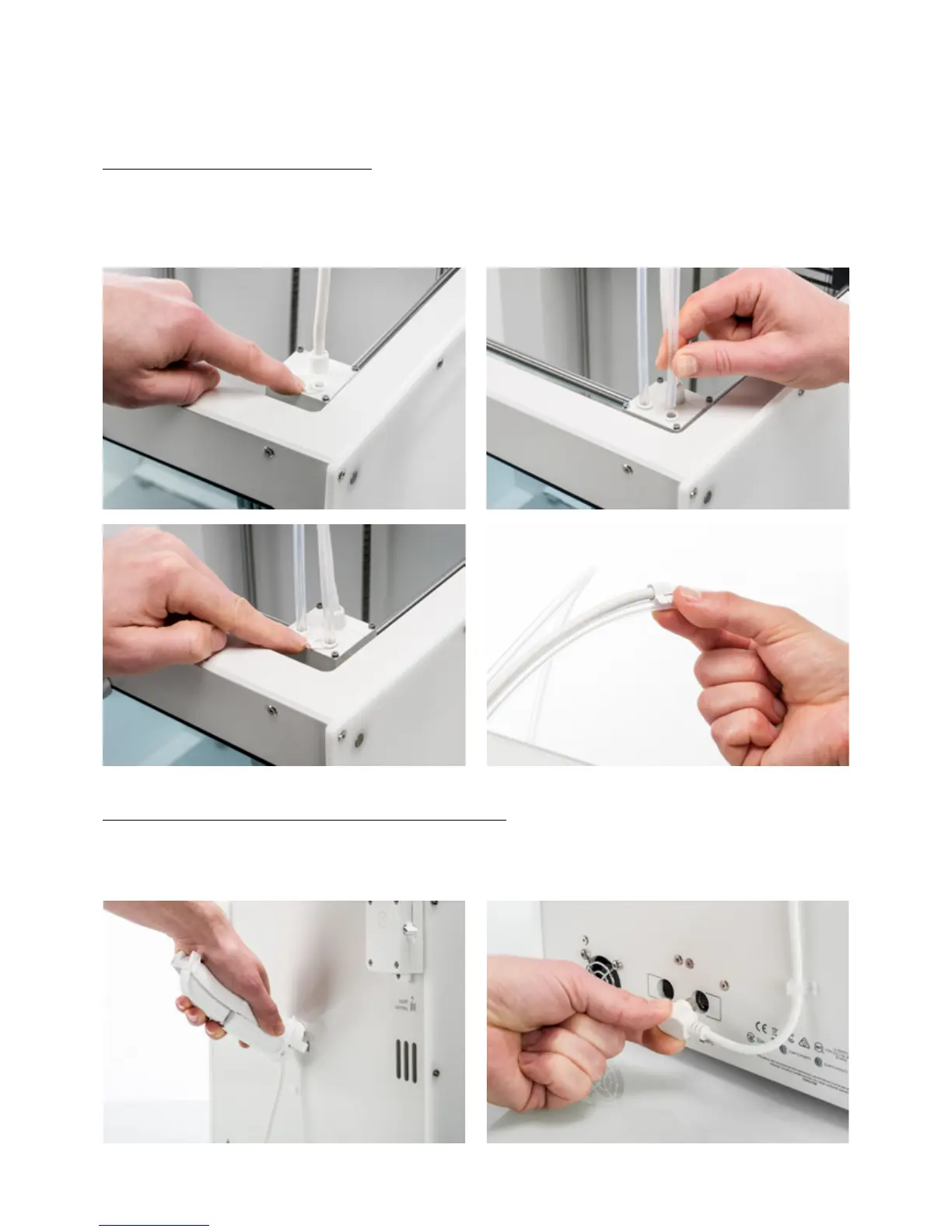
Connect the Bowden tubes
1. Remove the clamp clips from the print head and insert the Bowden tubes. The Bowden tubes connect to the
corresponding numbers on the print head.
2. Secure the Bowden tubes with the clamp clips.
3. Fit the print head cable clips onto Bowden tube 2.
Place and connect the NFC spool holder
1. Insert the spool holder into the back panel and push until it snaps into place.
2. Secure the cable from the spool holder behind the cable clips in the back panel.
3. Connect the cable to the NFC socket at the back of the printer.














 To Next Page