APPENDIX B - SP2100 2D Imager Setup Barccodes, con’t
BarcodeGuy.com® - UnionNet SP2100 User’s Guide
2D Imager
Only
Programming “ON”
Programming “OFF”
Figure B.0
Instructions: To change the option, first scan the Programming “ON” barcode.
Then scan the Option Code. Finally scan the Programming “OFF” barcode.
33
B.12 - Codabar, con’t
Code 39 MAY be encoded with a check digit. The check digit is optional.
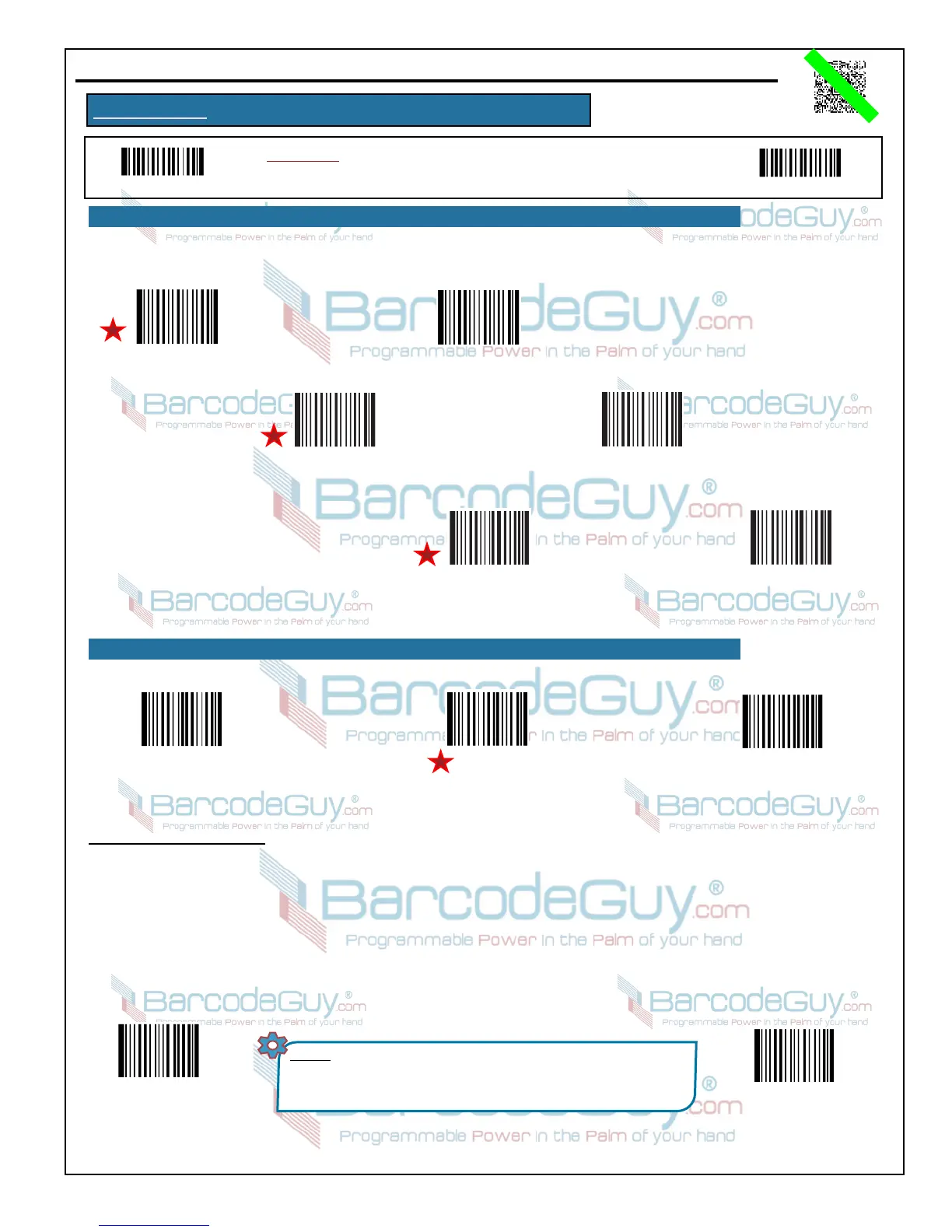
Codabar - Transmit
Neither Prefix/Suffix
Codabar - Transmit
Both Prefix/Suffix
Codabar - Use ABCD/TN*E
As Start & Stop Character
Codabar - Use ABCD/ABCD
As Start & Stop Character
Codabar - Use
Lower Case Prefix/Suffix
Codabar - Use
Upper Case Prefix/Suffix
B.13 - Code 93
Enable
Code 93
Disable
Code 93
Set Code 93
Factory Defaults
Codabar uses either one of “A”, “B”, “C” and “D” as the prefix & suffix characters. Transmission of them can be selected.
Min and Max String Lengths - To limit the length of the barcode string as a form of validation, you can set a minimum and maximum
string length. These lengths include check and stop/start digits if applicabl to the symbology. To set the string length:
1. Scan the Programming “ON” barcode.
2. Scan the Set Min Length barcode, then scan the digit code(s) from Section B.29 of this Appendix (B) for the number representing
the minimum length.
3. Scan the Save Programming barcode.
4. Scan the Set Max Length barcode, then scan the digit code(s) from Section B.29 of this Appendix (B) for the number representing
the minimum length.
Set Code 93
Min Code Length
(Default = 1)
Set Code 93
Max Code Length
(Default = 48)
NOTES: * String length must be less than 127 bytes.
* MAX LENGTH must be less than or equal to MIN LENGTH.
* If MIN LENGTH = MAXLENGTH, only that single length barcode
string will be allowed.


 To Next Page