APPENDIX B - SP2100 2D Imager Setup Barccodes, con’t
BarcodeGuy.com® - UnionNet SP2100 User’s Guide
2D Imager
Only
Programming “ON”
Programming “OFF”
Figure B.0
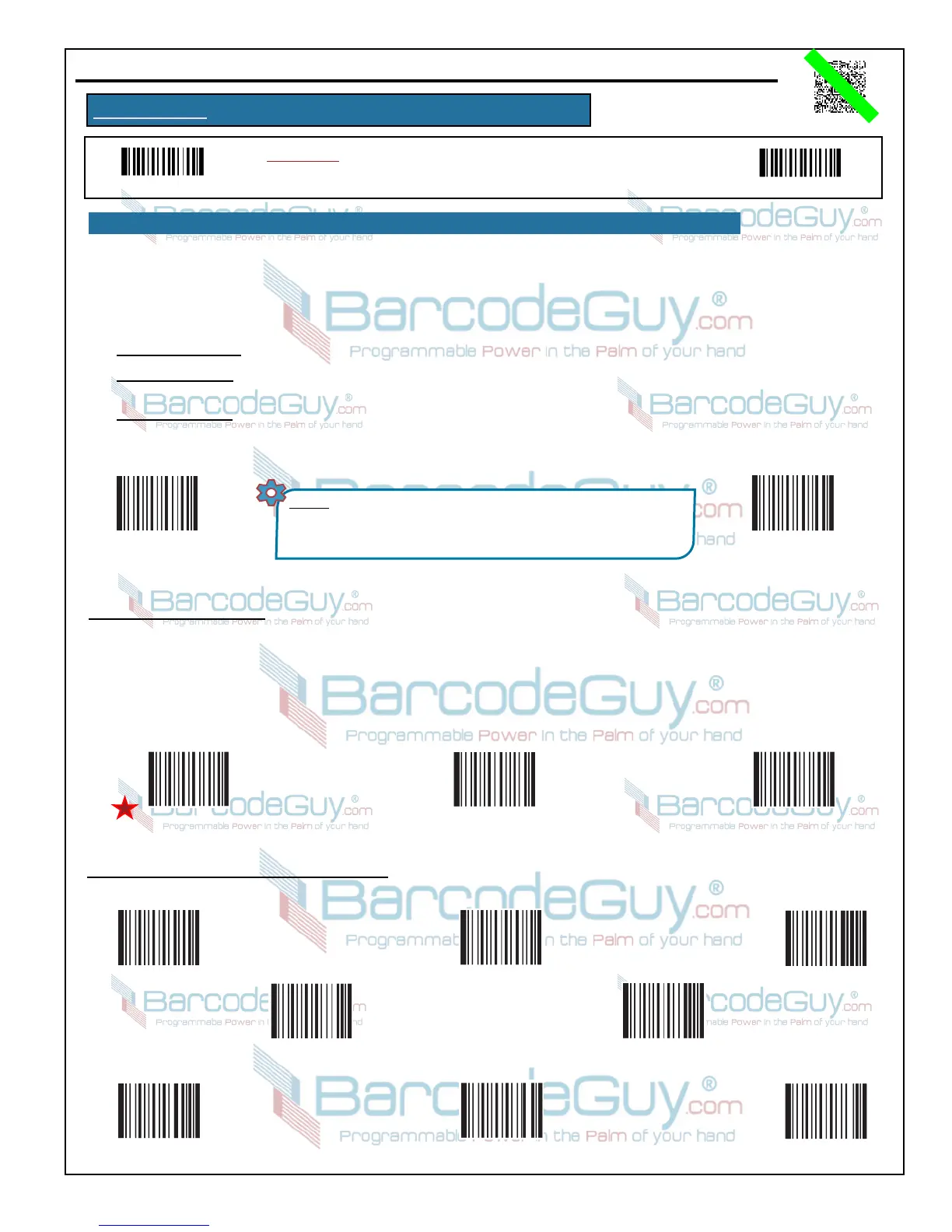
Instructions: To change the option, first scan the Programming “ON” barcode.
Then scan the Option Code. Finally scan the Programming “OFF” barcode.
42
B.25 - Aztec, con’t
5. Scan the Save Programming barcode, then scan the Programming “OFF” barcode.
QR Code twin code is a combination of two QR Code barcodes, paired either vertically (on top) or horizontally (side by side). They
must be encoded in the same direction. They must have the same resolution with little white/quiet zones between them. There are 3
options for reading QR Code twin code:
● Single QR Code Only: Read either QR Code type.
● Twin QR Code Only: Read both QR Code types. The transmission sequence is: left (upper) QR Code code followed by right
(lower) PDF417 code.
● Both Single & Twin: Read both single and twin QR Code codes
Set Aztec
Max Code Length
(Default = 3832)
Set Aztec
Min Code Length
(Default = 1)
NOTES: * String length must be less than 65535 bytes.
* MAX LENGTH must be less than or equal to MIN LENGTH.
* If MIN LENGTH = MAXLENGTH, only that single length barcode
string will be allowed.
Min and Max String Lengths - To limit the length of the barcode string as a form of validation, you can set a minimum and
maximum string length. These lengths include check and stop/start digits if applicabl to the symbology. To set the string length:
1. Scan the Programming “ON” barcode.
2. Scan the Set Min Length barcode, then scan the digit code(s) from Section B.29 of this Appendix (B) for the number
representing the minimum length.
3. Scan the Save Programming barcode.
Mode 1 Mode3Mode 2
“Number of Barcodes” for Modes 2 & 3
1
2
3
4
5
6 7 8


 To Next Page