VAMP 24h support phone +358 (0)20 753 3264
6.1.2. Remote port X5
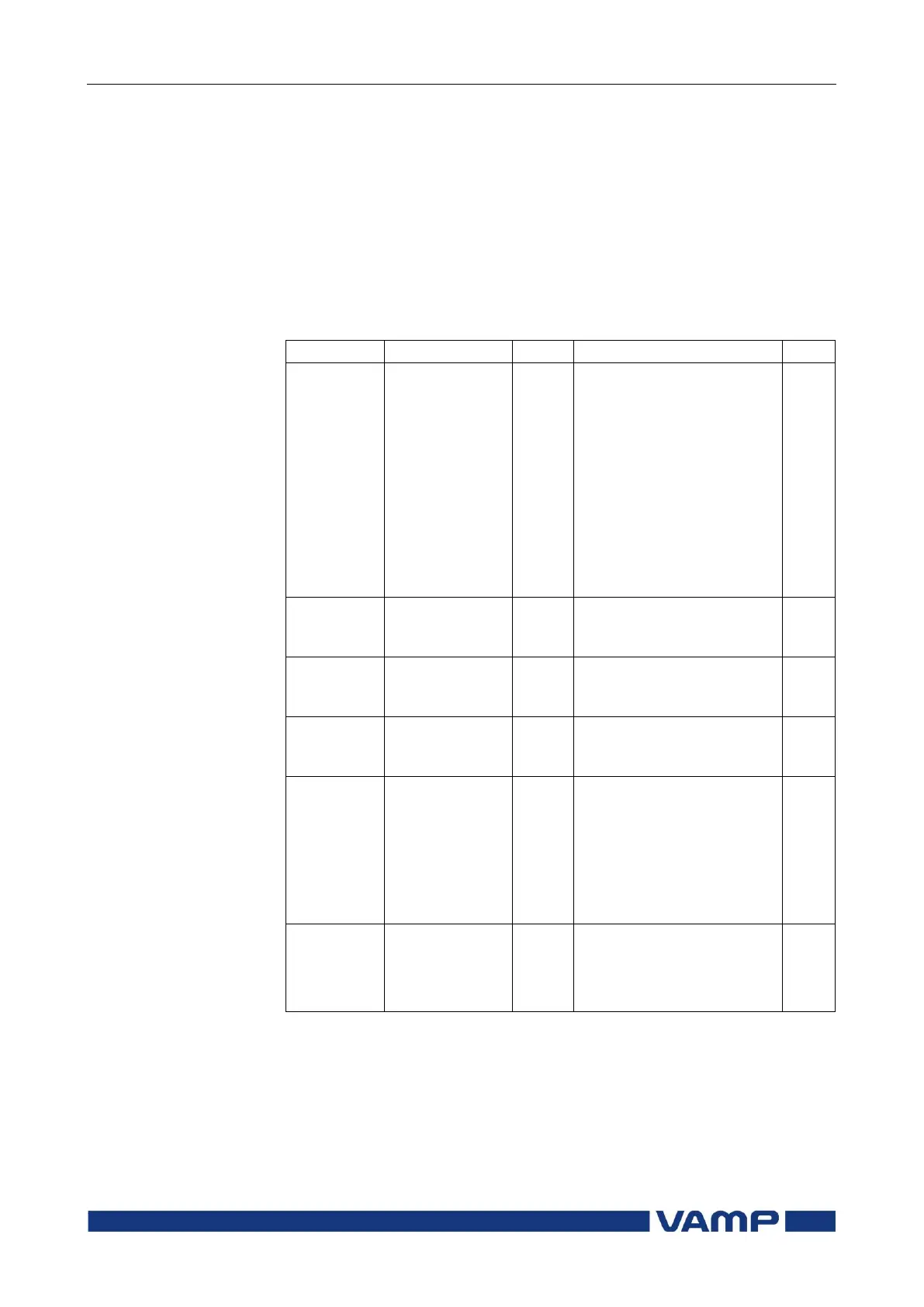
Physical interface
The physical interface of this port depends of the
communication letter in the order code. See Figure 6.1-1,
chapter 8 and the table below. The TTL interface is for external
converters and converter cables only. It is not suitable for direct
connection to distances more than one meter.
Parameters
None
SPA-bus
ProfibusDP
ModbusSla
ModbusTCPs
IEC-103
ExternalIO
DNP3
Protocol selection for
remote port
-
SPA-bus (slave)
Profibus DB (slave)
Modbus RTU slave
Modbus TCP slave
IEC-60870-5-103 (slave)
Modbus RTU master for
external I/O-modules
DNP 3.0
Message counter since the
device has restarted or
since last clearing
Protocol errors since the
device has restarted or
since last clearing
Timeout errors since the
device has restarted or
since last clearing
Display of current
communication
parameters.
speed = bit/s
D = number of data bits
P = parity: none, even, odd
S = number of stop bits
Echo to local port
No echo
For binary protocols
For SPA-bus protocol
Set = An editable parameter (password needed)
Clr = Clearing to zero is possible
1) The communication parameters are set in the protocol specific menus. For
the local port command line interface the parameters are set in
configuration menu.



 To Next Page