Subject to modification! Updated 10/2017
9.4.2 Network
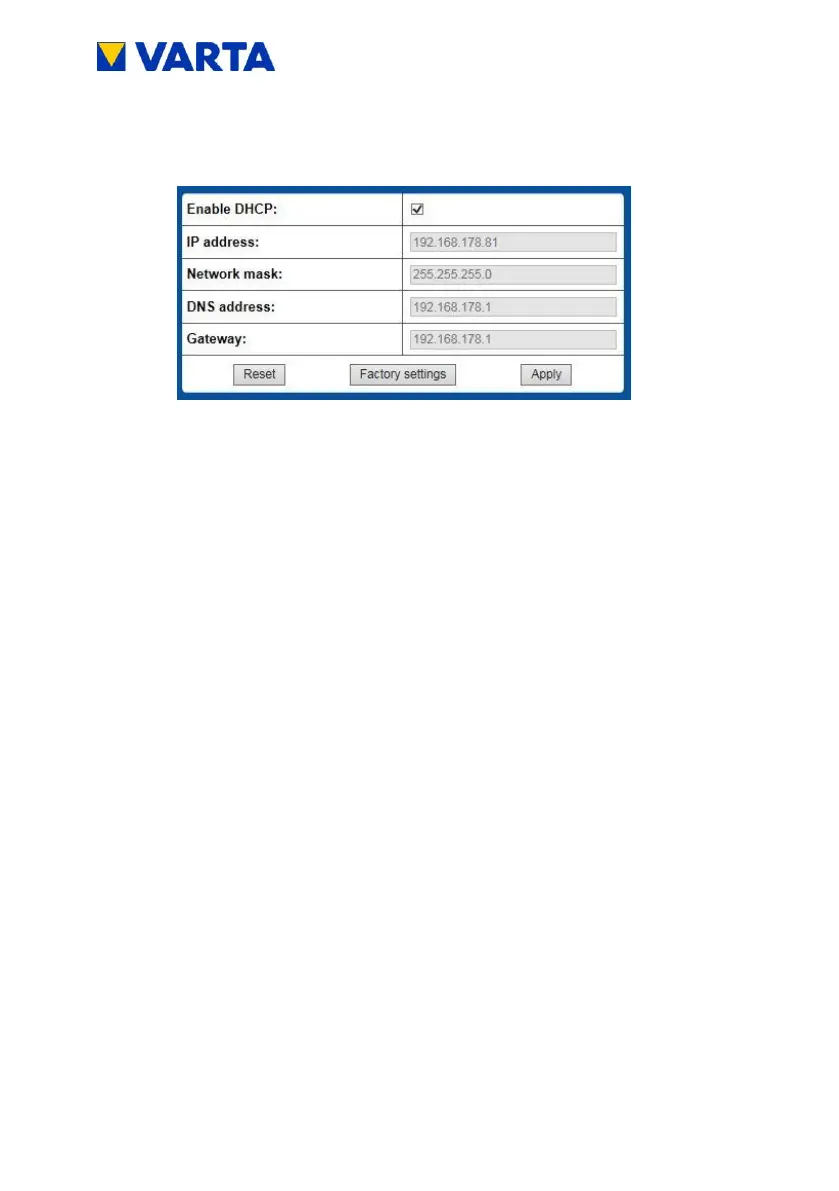
By default, the storage device uses the customer's network
settings. For this, the selection field next to Activate DHCP is
checked.
DHCP: This option is used to activate the automatic
referencing of the customer's network parameters.
IP address: Is read out automatically.
Network mask: Must be entered manually if DHCP is not
activated.
DNS address: Is read out automatically.
Gateway: Is read out automatically.


 To Next Page