Subject to modification! Updated 10/2017
11.2.1 Checking the online status
On the web interface welcome page, the WWW icon indicates whether
the energy storage system is connected to the VARTA server (green =
online, red = offline).
11.2.2 Error lists
Reading out error lists
Select the System button from the header.
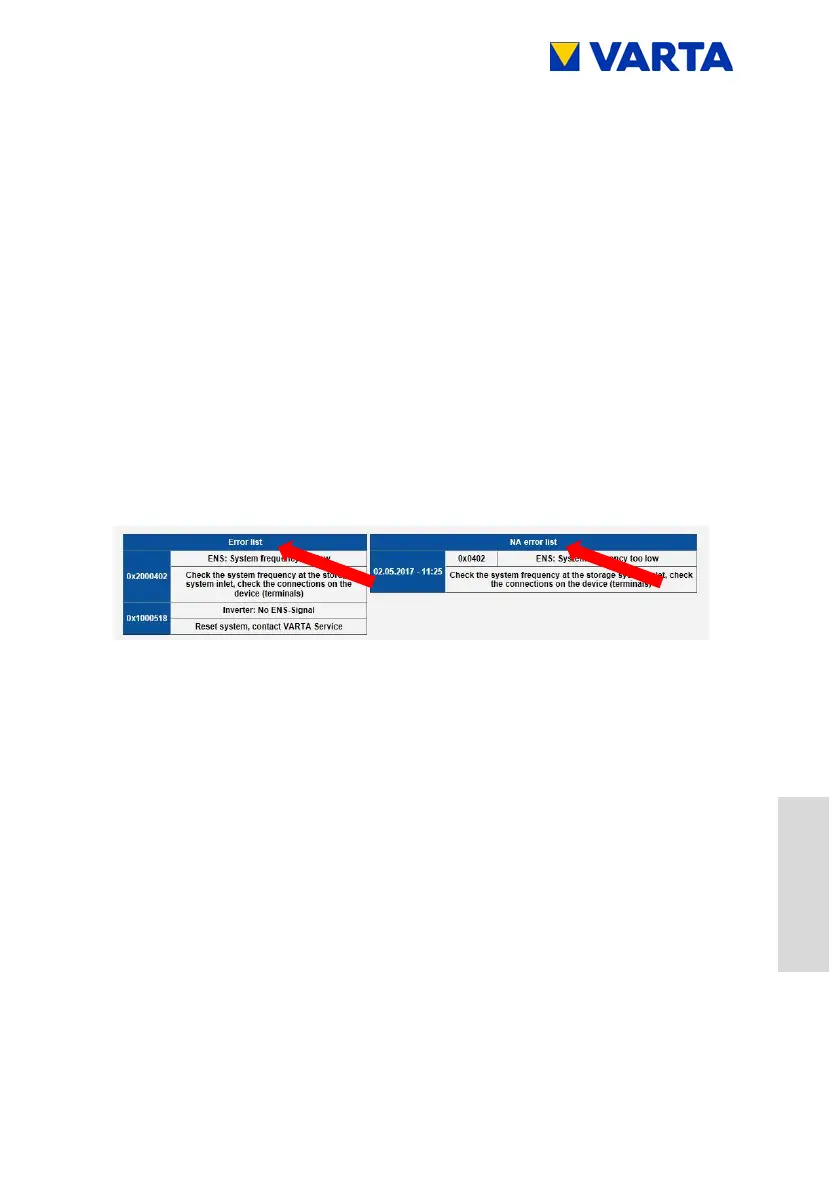
The error lists for the storage system and the grid and system
(GS) protection will be displayed (arrows).
Error rectification
Identify the errors using the error descriptions.
Notes on troubleshooting can also be found in the overviews
battery charger, battery modules and battery inverter.
Over there, check the categories status, faults, as well as
control WR, control EMS and control ENS).
Check the GS settings, if necessary (see Chapter 9.4.4) and
eliminate the error.
Restart the storage system. Turn the storage system off and
then back on again at the On/Off button.


 To Next Page