Subject to modification! Updated 10/2017
Switch the battery module/modules back on.
11.4.5 Replacing/cleaning the air filter
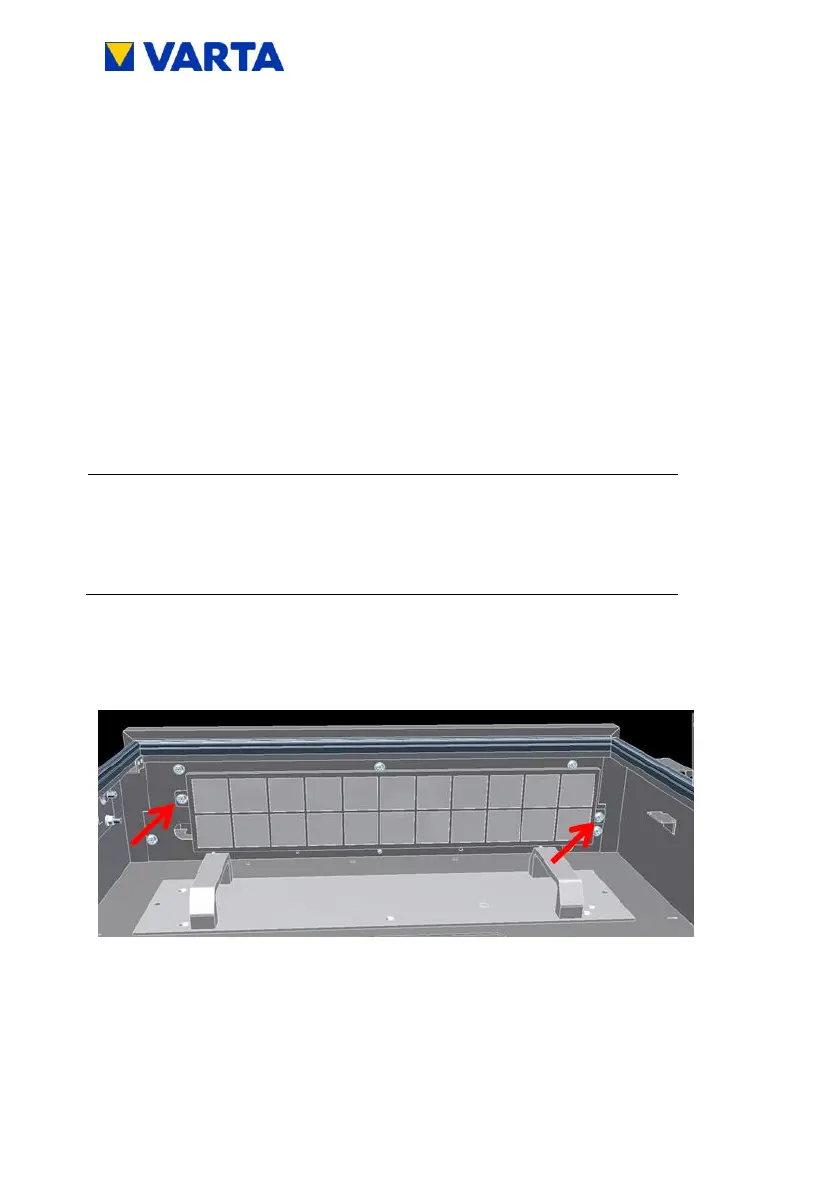
Unscrew the filter holder.
Aid: Torx 25 screwdriver
The air filter can be removed.
Clean the area around the filter with a cloth.
Clean the air filter with a vacuum cleaner if necessary.
Make sure no dust from the air filter gets inside
the storage system.
Replace the air filter (at every second service) and re-mount
the filter holder.
Figure 35: Removing the air filter (view from front and below)
11.4.6 Disassembling the storage cabinet cover
The storage cabinet cover is connected to the storage cabinet by eight
screws.


 To Next Page