Subject to modification! Updated 10/2017
11.4.2 Removing the battery inverter
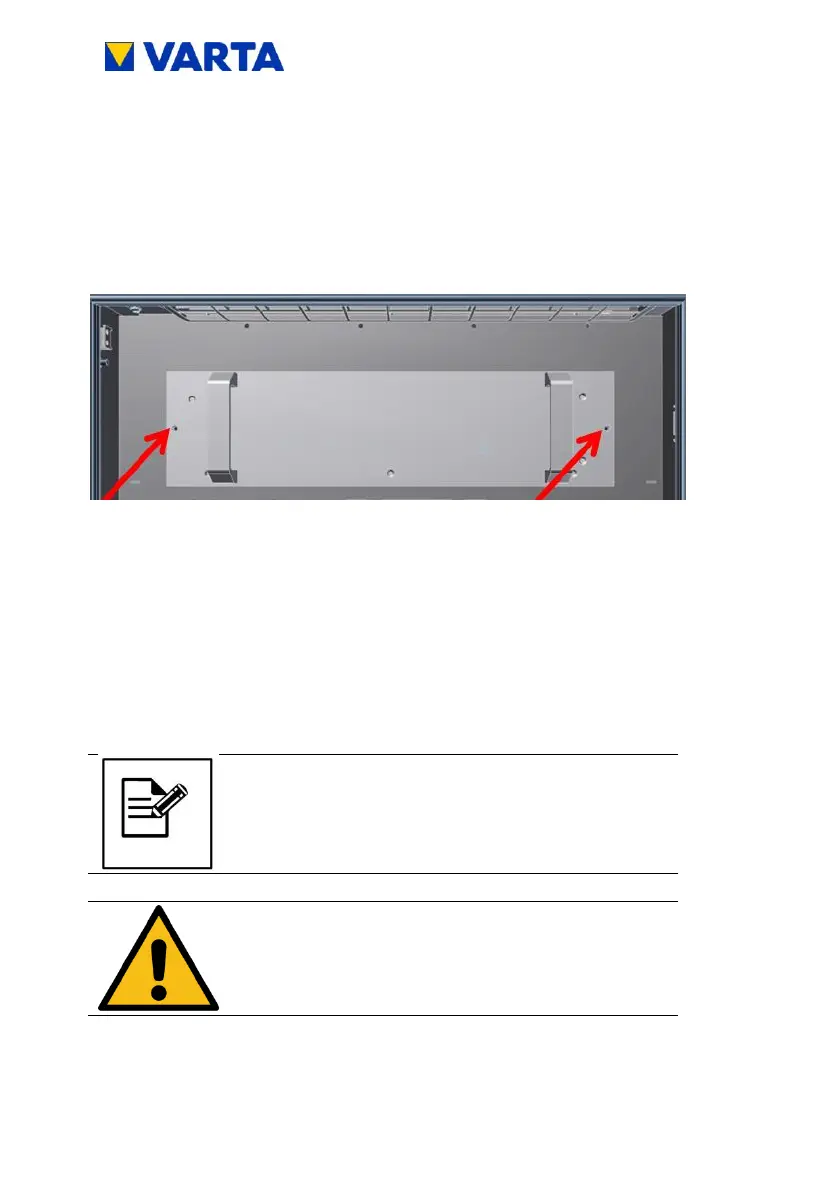
Loosen the two M 5 x 16 screws (arrows!) on the battery
inverter.
Aid: Size 4 hexagon socket wrench
Figure 30: Loosening the screws on the battery inverter
Take hold of the battery inverter in both hands and pull out at
the handles!
To reinstall, perform the working steps in reverse order.
11.4.3 Removing and installing the battery charger
Before plugging off the black/red battery cable,
note down the corresponding battery charger
and the corresponding battery module.
After installation, this cable has to be plugged in
at the exact same battery louder and battery
module


 To Next Page