Subject to modification! Updated 10/2017
Check the bearing play and ease of movement of the fan by
hand.
Replacing the fan
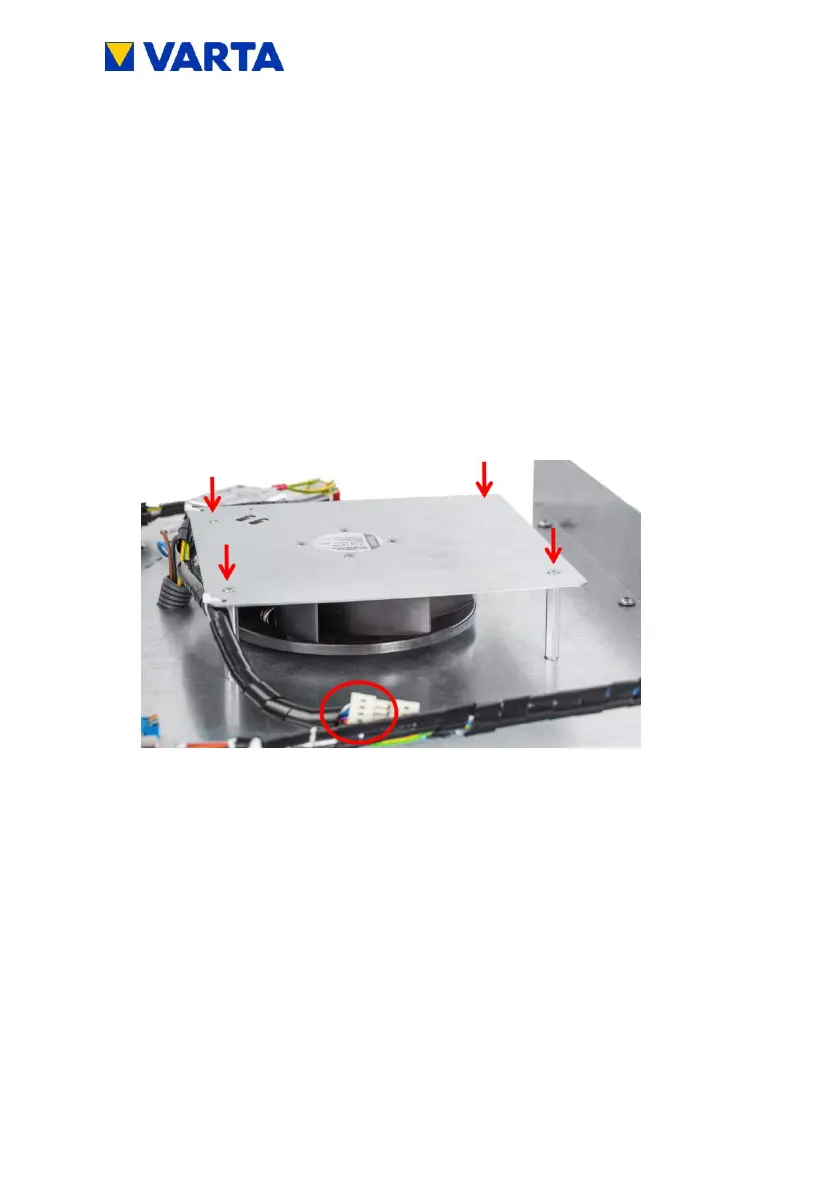
Disconnect the fan (circle).
Loosen the four screws (arrows) on the fan cover and cut open
the cable tie.
Aid: Size 4 hexagon socket wrench, wire cutter
Figure 38: Removing the fan


 To Next Page