Subject to modification! Updated 10/2017
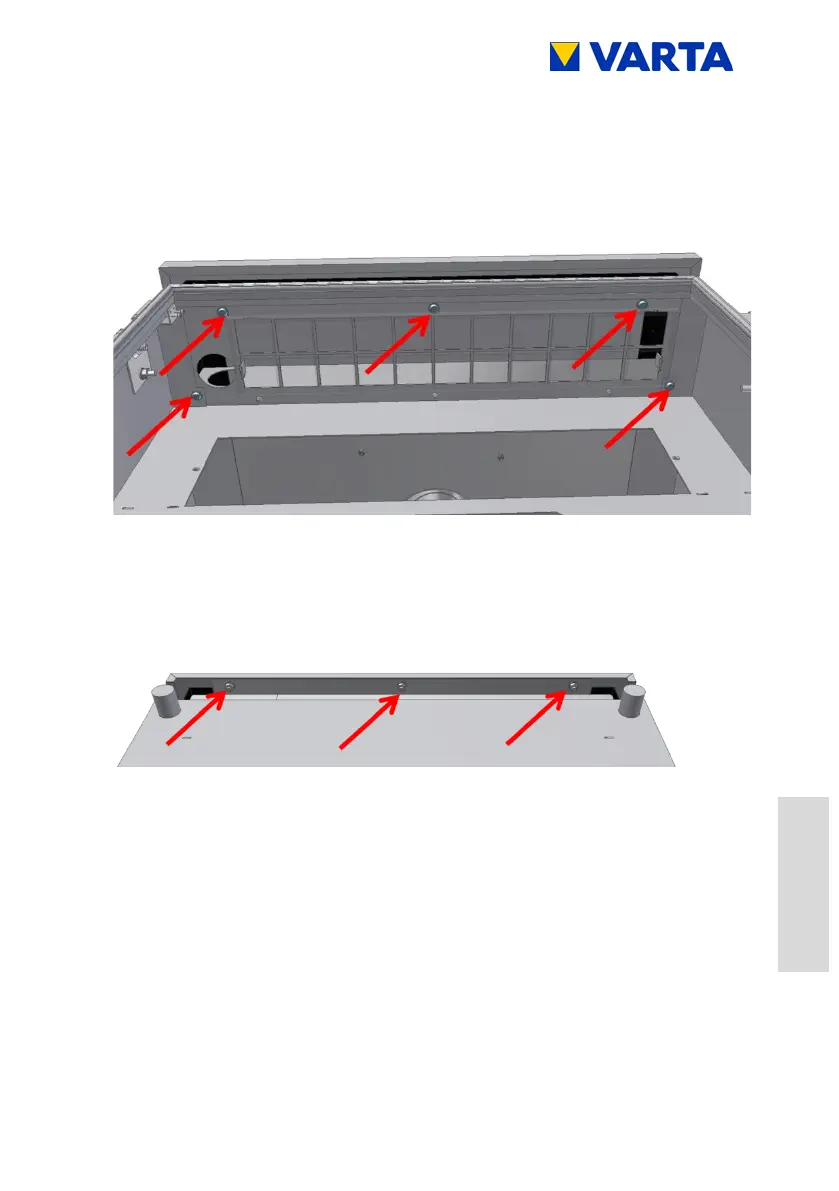
Loosen the mounting screws (5 x) at the front of the opened
storage cabinet.
Aid: Torx 25 screwdriver
Figure 36: Screws of cabinet cover – (front bottom)
Loosen the mounting nuts (3 x) at the rear of the storage
cabinet.
Aid: No. 10 flat wrench
Figure 37: Nuts of cabinet cover – (rear bottom)
Lift off the cover.
Remove the ground conductor from the ground lug on the
inside of the cover.
11.4.7 Cleaning/replacing the fan
The fan can be accessed after the removal of the cover.
Check the fan for contamination and clean if necessary.


 To Next Page