Subject to modification! Updated 10/2017
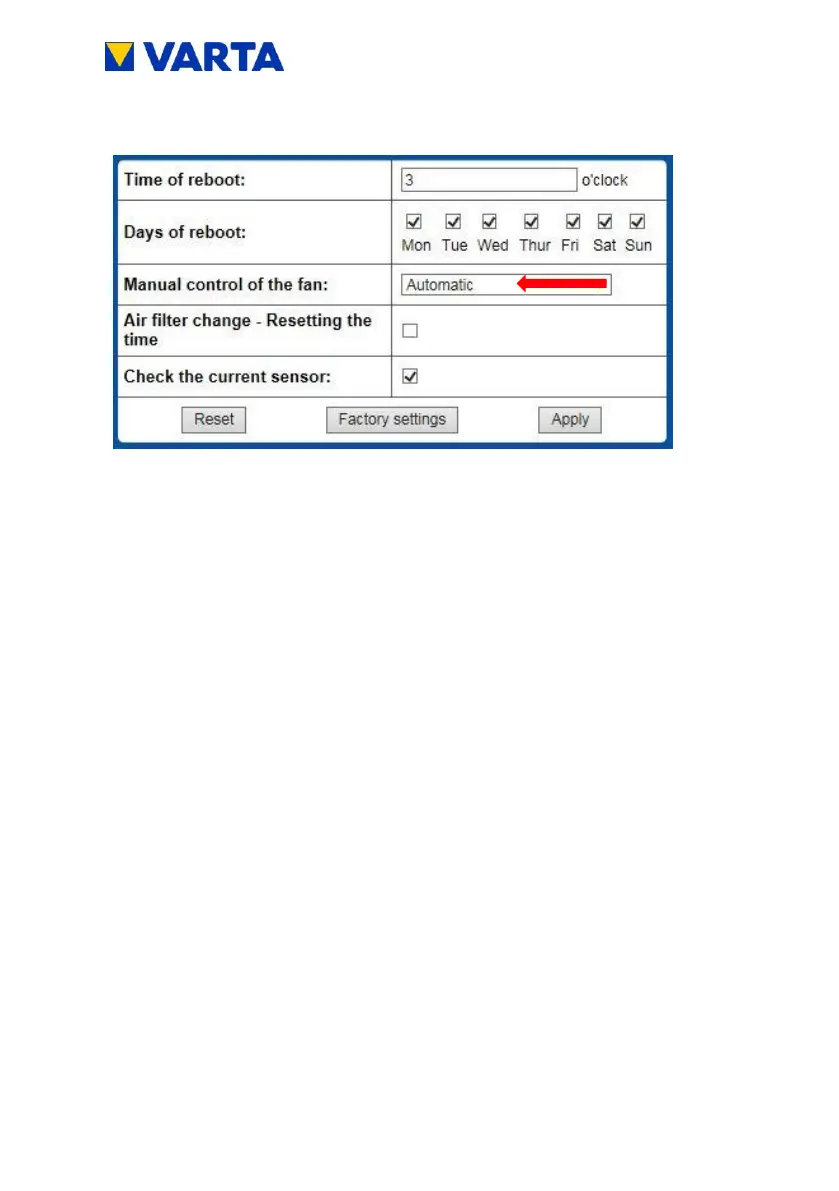
Check whether the fan is blowing out air at the top. Wait for 10
to 15 s until the fans have reached a constant speed.
Note: It is possible that the fans are already running.
Pay attention to noises that indicate mechanical damage.
Reset to the Automatic (0) setting.
For replacing and cleaning the fan, see Chapter 11.4.7.


 To Next Page