9. Installing Software
100 Smart Plus (PHT-35LHS) Installation Manual
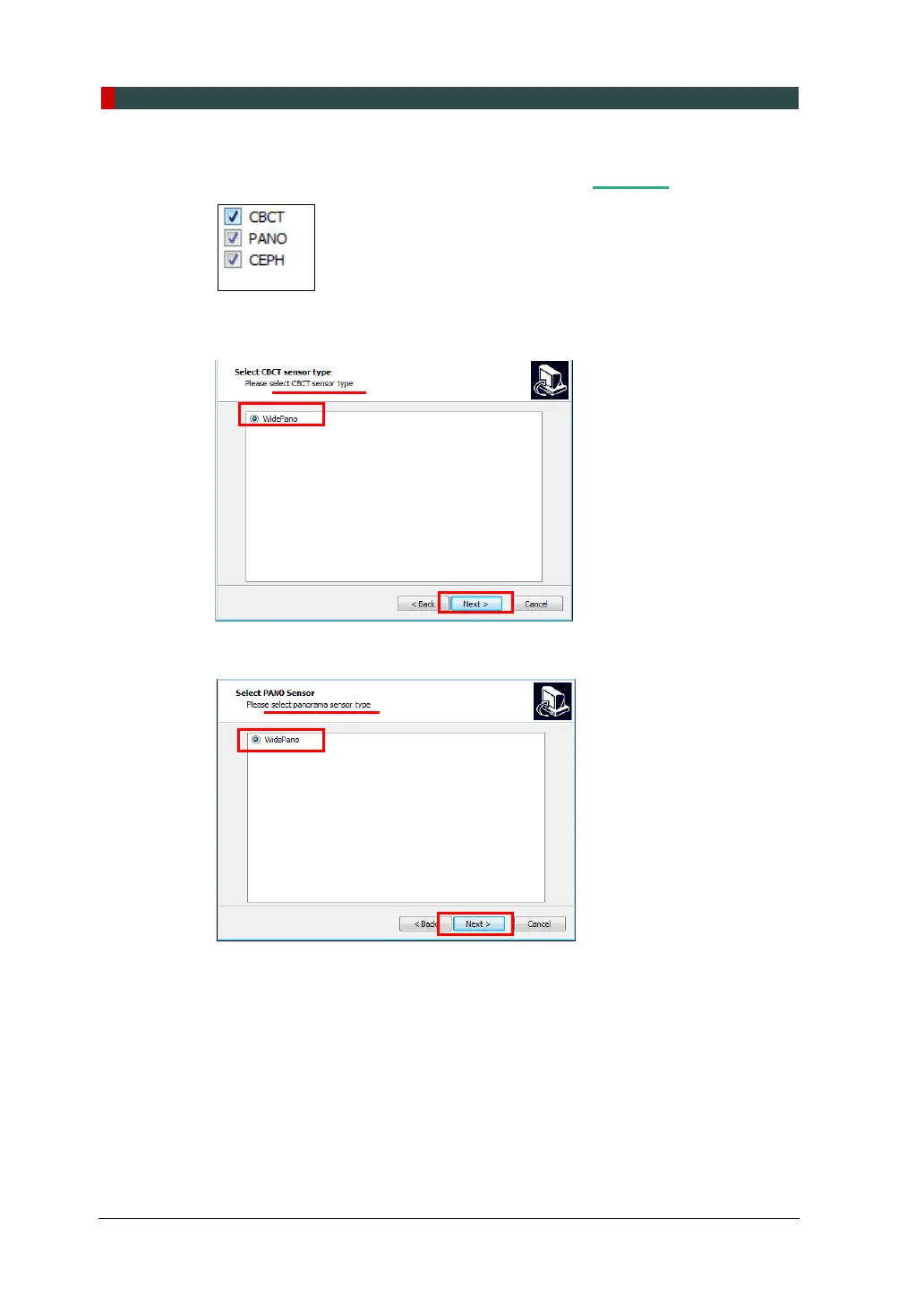
6. Confirm that all modalities are checked as below. If the CEPH feature is not
included in the equipment, uncheck the CEPH option. Moreover, click Next.
7. Confirm that the “WidePano” is selected in the CBCT sensor type selection
window and click Next.
8. Confirm that the “WidePano” is selected in the PANO sensor type selection
window and click Next.














 To Next Page