9. Installing Software
102 Smart Plus (PHT-35LHS) Installation Manual
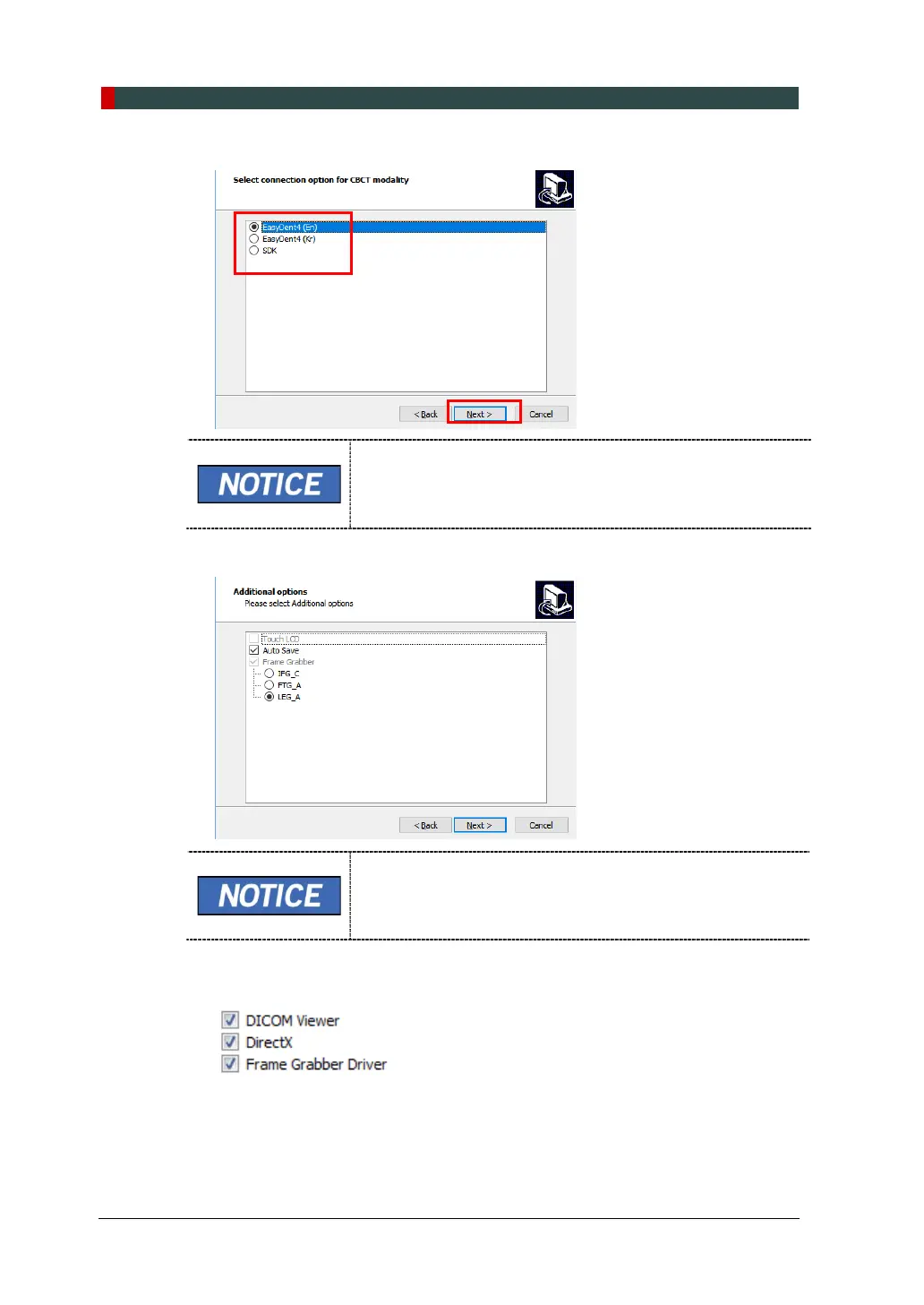
13. Select the connection option for CBCT modality and click Next to continue.
When EasyDent is installed, select EasyDent, when EzDent-
i is installed, select SDK.
14. Check the options according to the product specifications.
When the AutoSave is checked, the image data acquired
saved automatically.
15. Confirm that the following drivers are selected. For the first-time installation,
select all.














 To Next Page