9. Installing Software
Smart Plus (PHT-35LHS) Installation Manual 119
Creating a new Patient Record
For details on this subject, refer to the accompanying
EasyDent Manual.
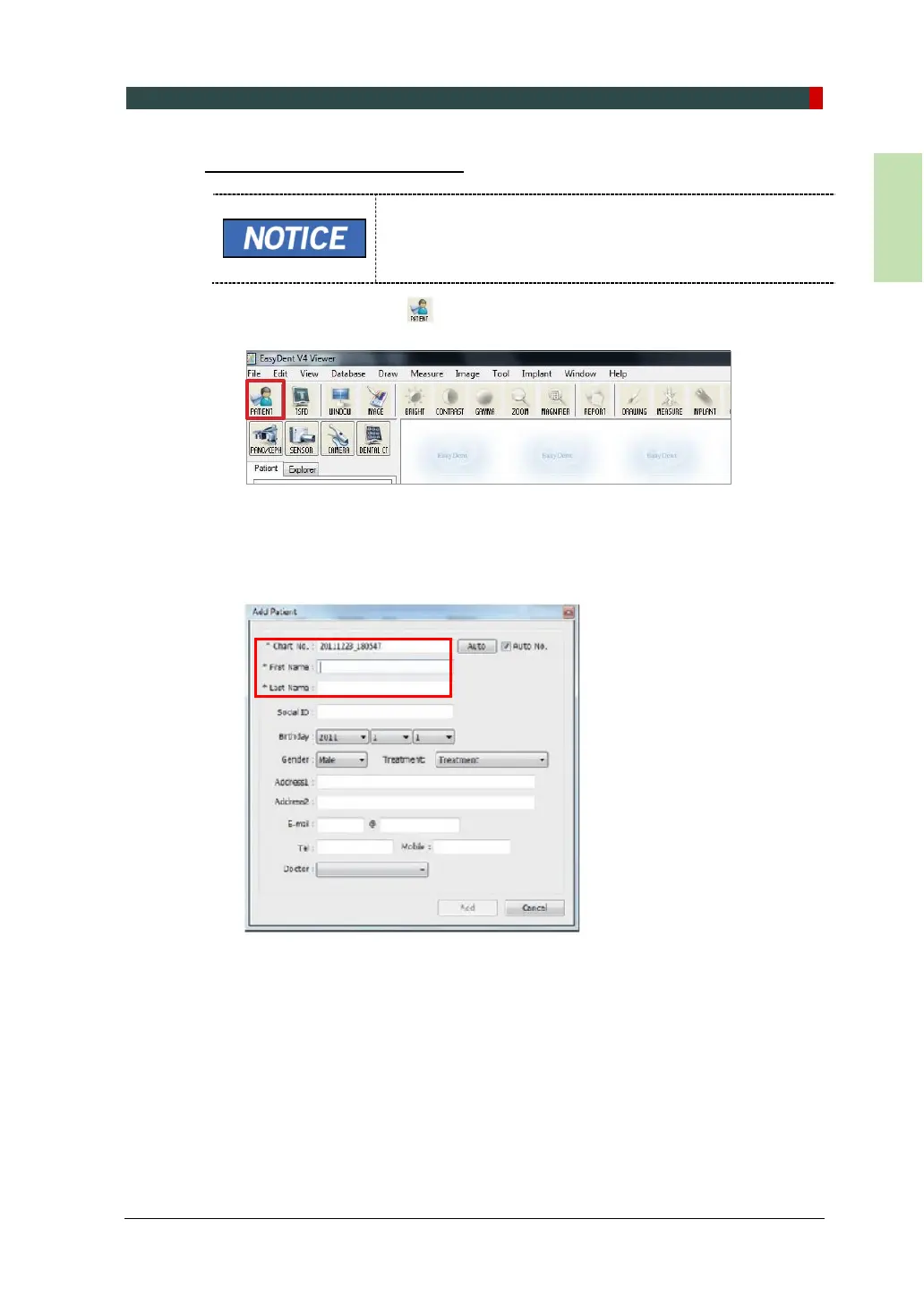
1. Click the Patient icon ( ) on the upper left corner of EasyDent’s main GUI
window.
2. Then, the following dialog box will be displayed. Enter the required patient
information. Chart No., First Name and Last Name must be filled in. The other
fields are optional, but they are recommended to be filled in.
3. Click Add to save the patient record.














 To Next Page