9. Installing Software
120 Smart Plus (PHT-35LHS) Installation Manual
Product Registration
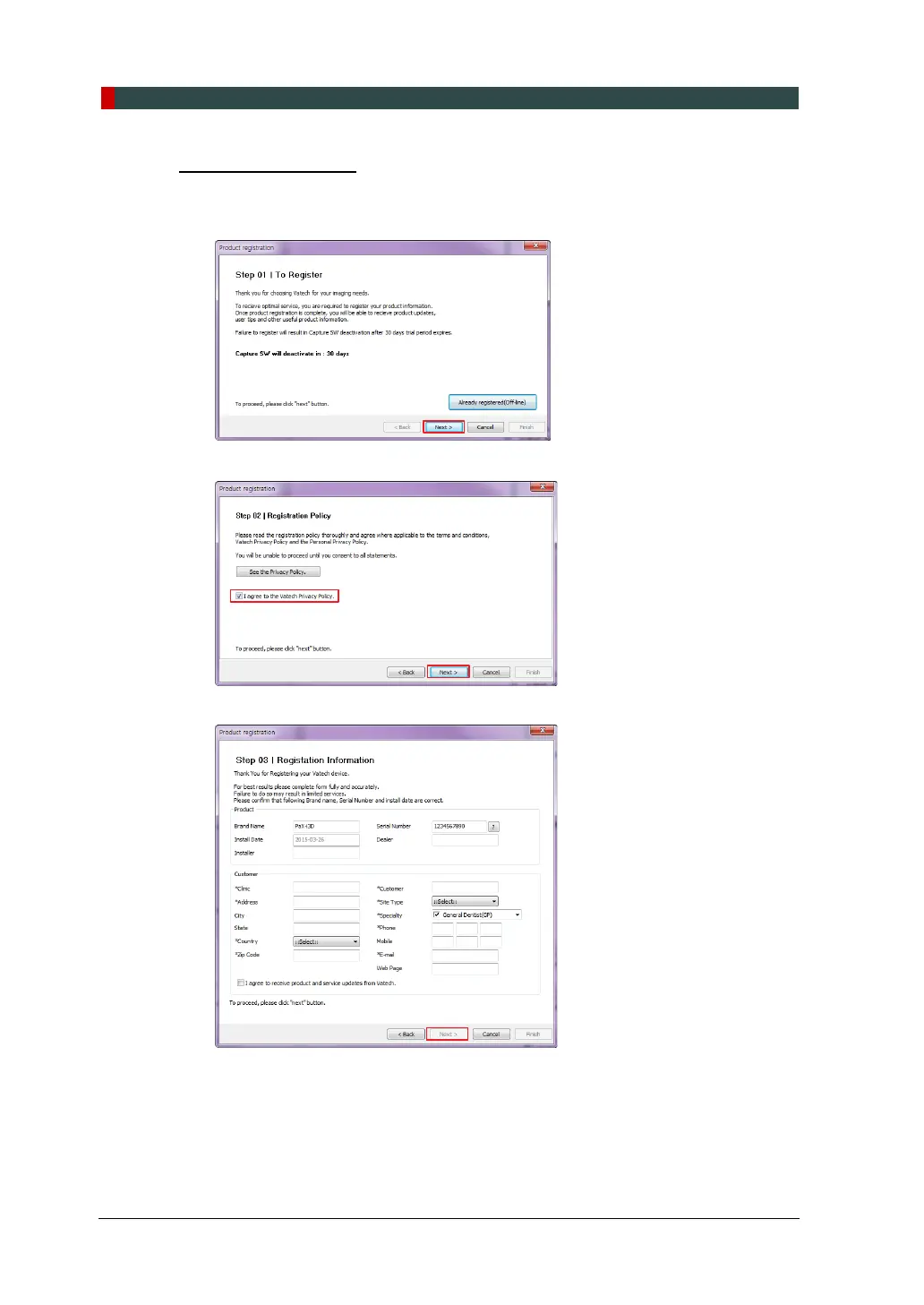
When initially executing the imaging program, the registration window will be displayed.
1. Click Next to proceed.
2. Select “I agree to the Vatech Privacy Policy” and click Next.
3. Enter the required information and click Next.
For the console PC connected to the internet, go to step 4. And for the console PC not
connected to the internet, go to step 5.














 To Next Page