9. Installing Software
Smart Plus (PHT-35LHS) Installation Manual 131
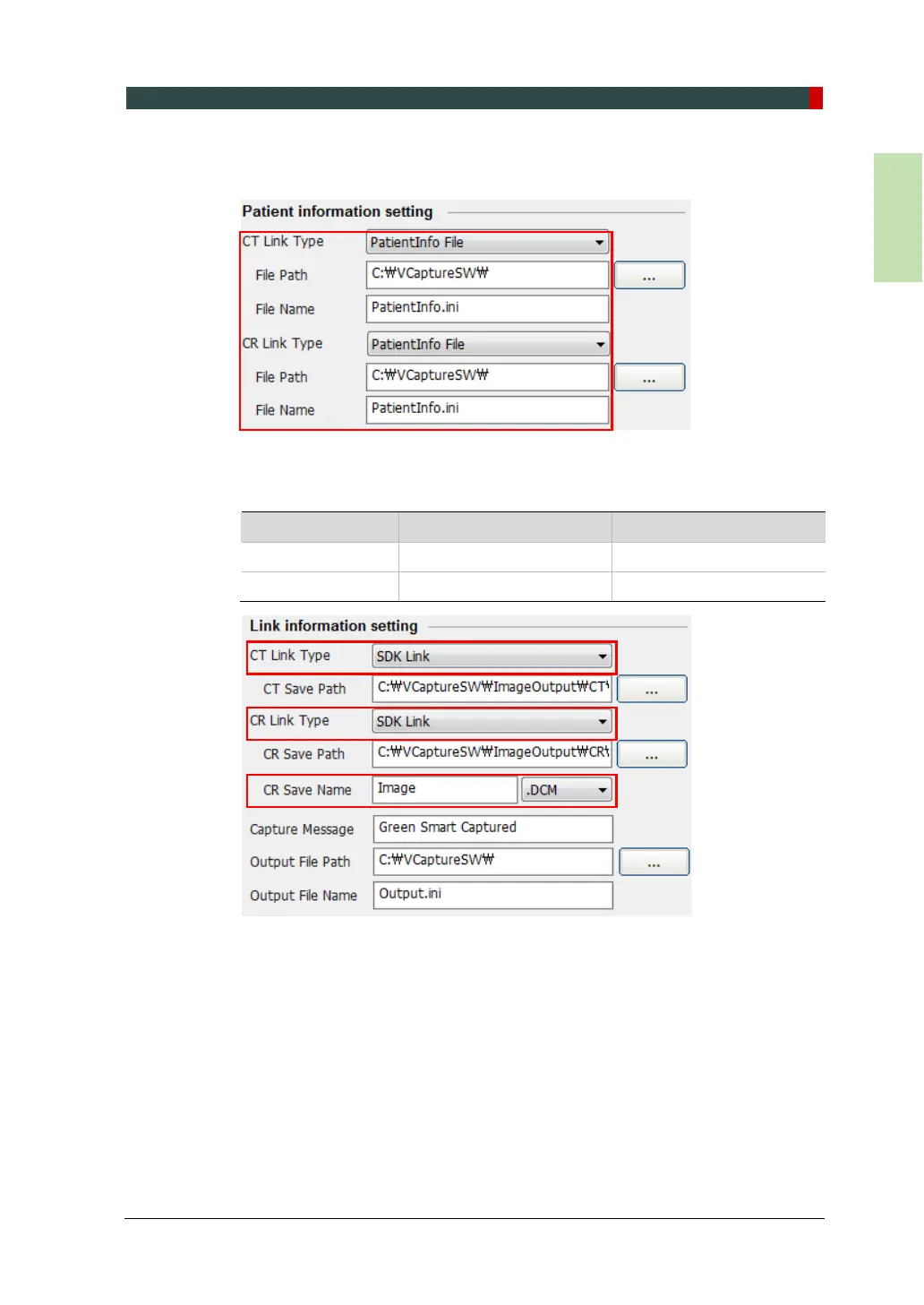
9. In the Patient Information Setting, configure the Link Type, File Path, and File
Name as shown in the following figure.
10. In the Link Information Setting, configure the Link Type and File Extension as
below.
Fields When EasyDent is used When EzDent-i is used
CT / CR Link Type Default SDK Link
CR Save Name Default .DCM














 To Next Page