9. Installing Software
130 Smart Plus (PHT-35LHS) Installation Manual
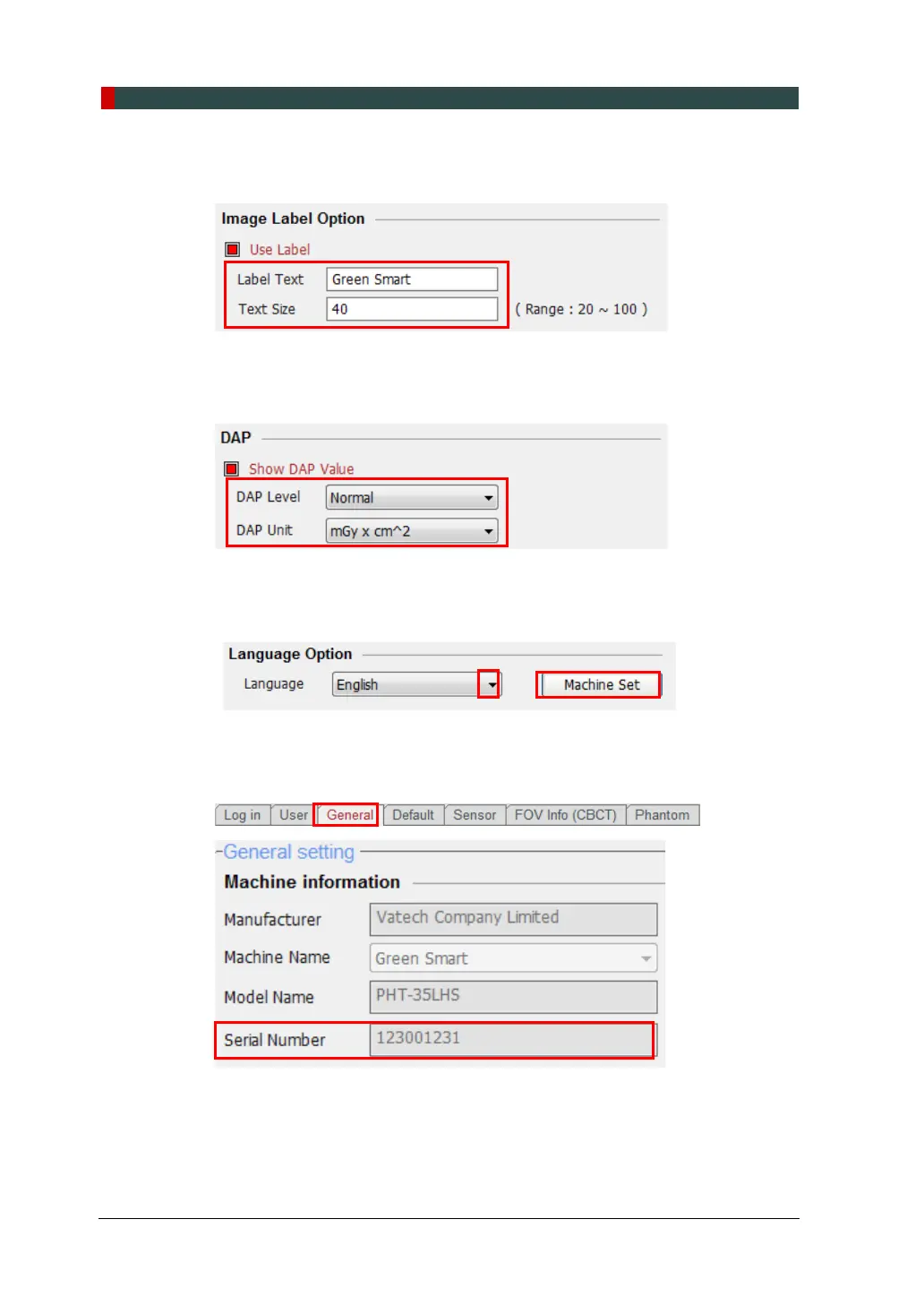
5. In the Image Label Option, check that the default equipment’s brand name and
text size are displayed as shown in the following figure.
6. In the DAP, check that the default DAP Level and DAP Unit are displayed as
shown in the following figure.
7. In the Language Option, the default language setting is English. If necessary,
change the language setting from the drop-down list and click Machine Set.
8. Click on the General tab and type the equipment’s serial number in the Machine
information.














 To Next Page