9. Installing Software
Smart Plus (PHT-35LHS) Installation Manual 129
9.5.3 Configuring the Parameters
The following information should be entered, following the
user requirements.
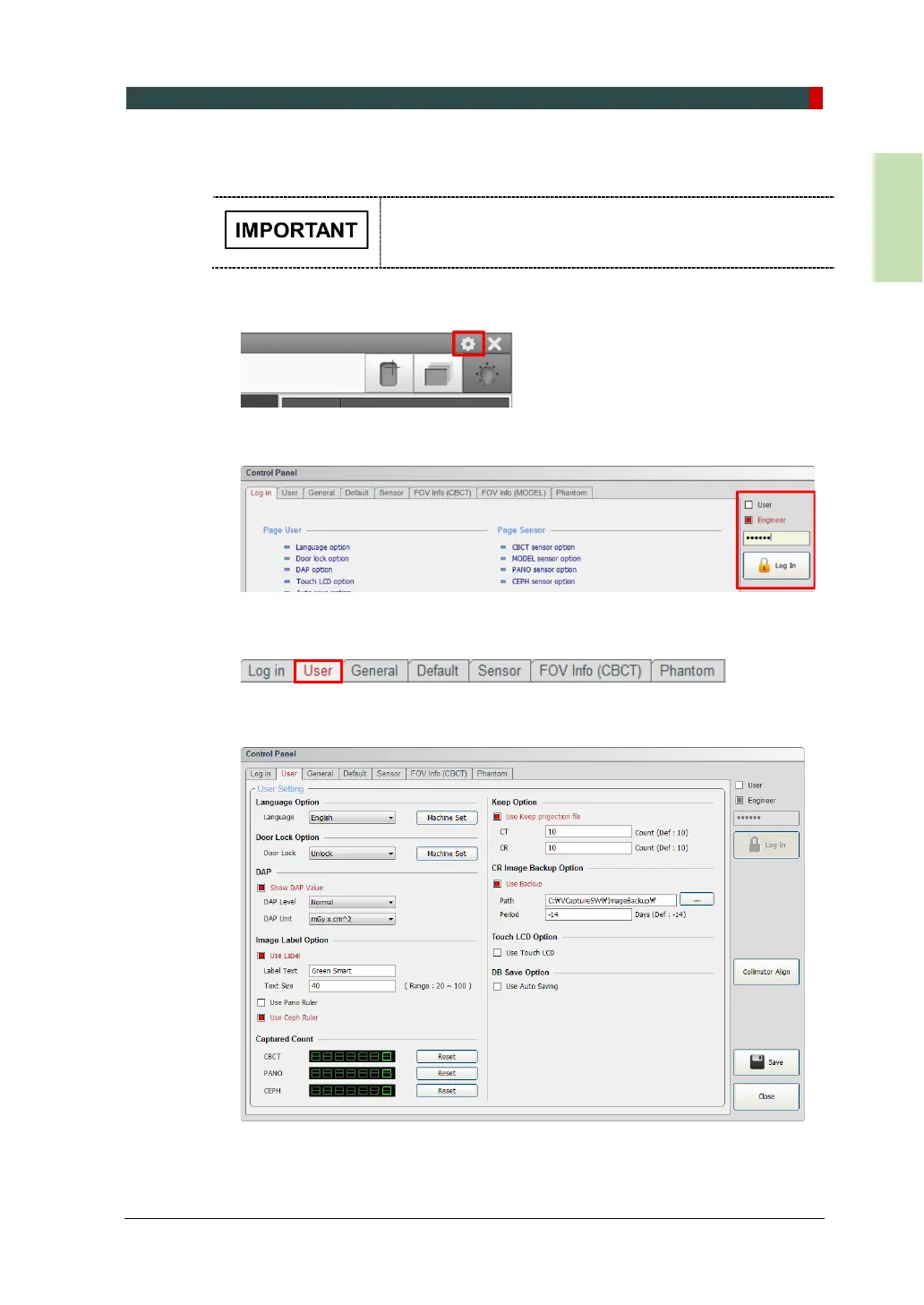
1. From the main GUI window, click the settings icon in the upper right corner.
2. Log in the tap will be open by default. On the right side of the screen, select
Engineer and type the password ('vatech') and then click Log In.
3. Click on the User tab.
4. The User Settings are displayed as shown in the following figure.














 To Next Page