3. Before Installing the System
Smart Plus (PHT-35LHS) Installation Manual 29
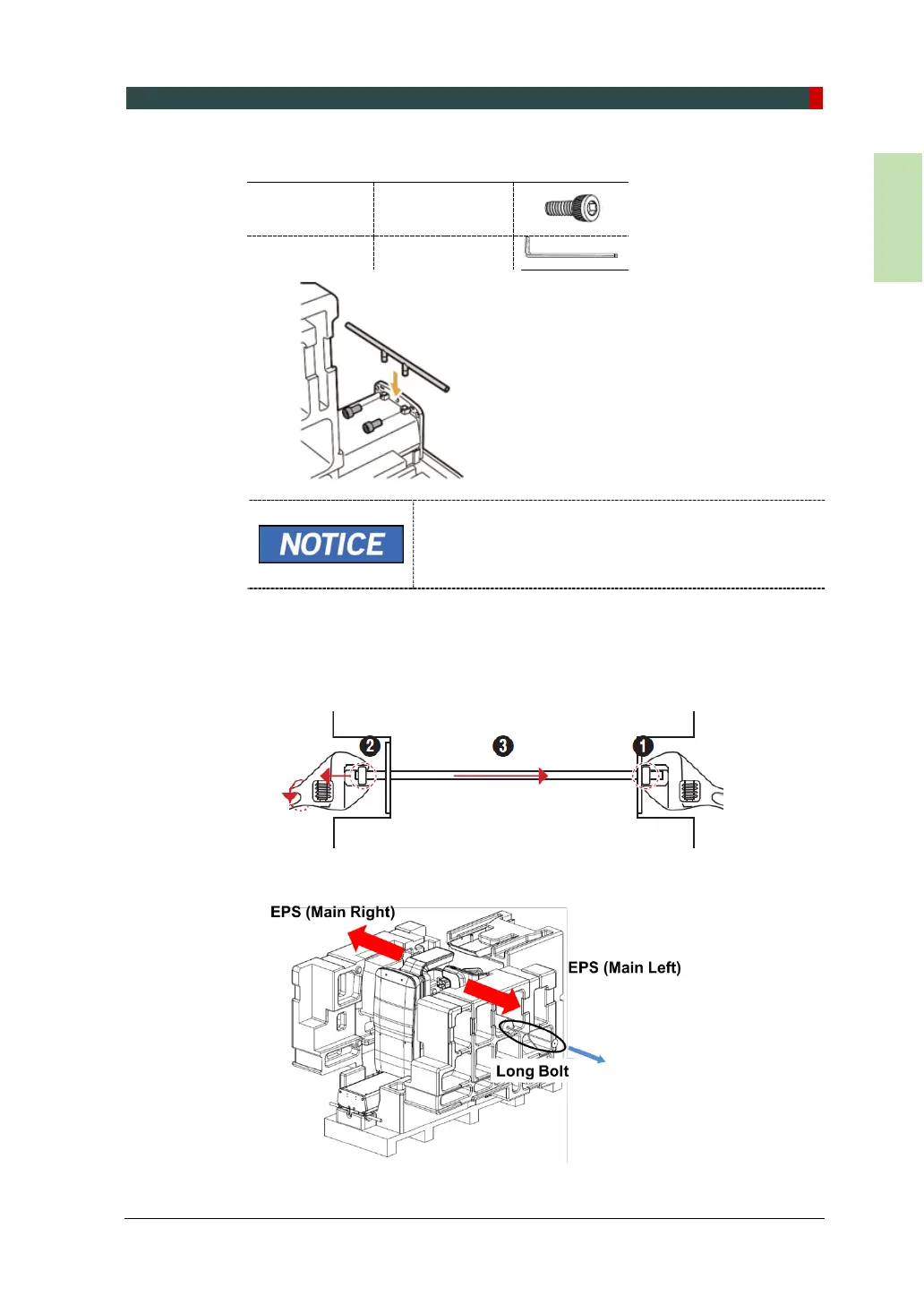
3. Assemble the lower carrying handle by using two Wrench Bolts.
Wrench Bolt
M8 x 30
- 2 pcs
Allen Wrench 6 mm / 0.24”
The Wrench Bolt is attached to the Column unit.
Remove the bolts from the Column first.
4. Remove the EPS (Main Right) and EPS (Main Left) as follows:
1) Remove the fixing tapes on the EPS by using a cutter.
2) Remove the Long Bolt and nuts by using two monkey wrenches.
3) Remove the EPS (Main Right) and EPS (Main Left).














 To Next Page