9
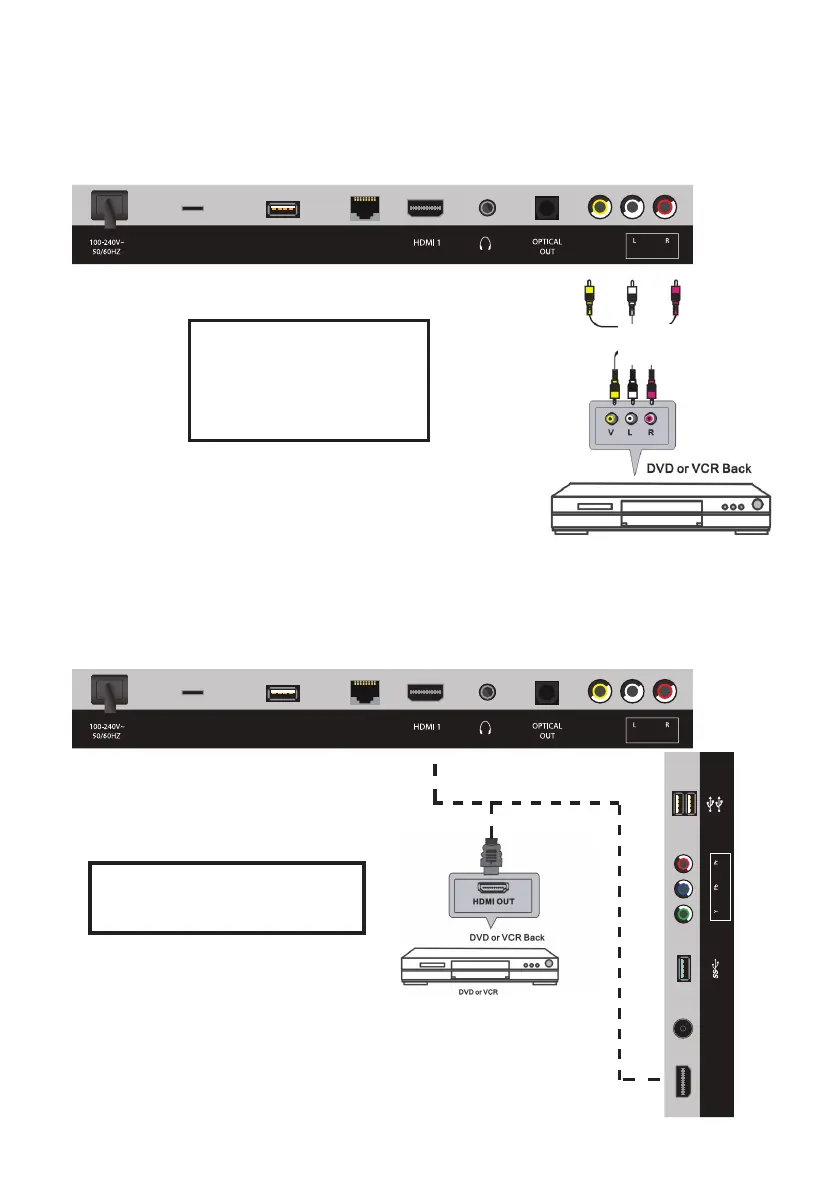
Composite Video (CVBS) Connection
For a non high-definition
connection, use the composite
Audio L/R (white/red) and
video (yellow) cable to connect
the unit with other devices.
AV Cable
(included)
HDMI Connection
HDMI Cable
(not included)
Controls and Connections (Cont.)
Use a HDMI cable to connect the
unit with other devices to receive
high-definition multimedia signal.
MICRO SD
USB
(TV)
LAN
VIDEO
(ARC)
(AUDIO IN)(COMPOSITE)
MICRO SD
USB
(TV)
LAN
VIDEO
(ARC)
(AUDIO IN)(COMPOSITE)
HDMI 2
ANT
(ANDROID)
(AIR MOUSE)
(COMPONENT)(TV)



 To Next Page