13
Getting Started
Powering the TV
• Plug the power cord into a suitable power outlet, then turn on the power at
the outlet.
• Press the POWER button, on the right lower side of the back panel (or on
the remote control, making sure to aim it at the sensor at the front of the
TV); the indicator light will glow blue. Press it again to power off (standby
mode); the indicator light will glow red.
Installation Guide
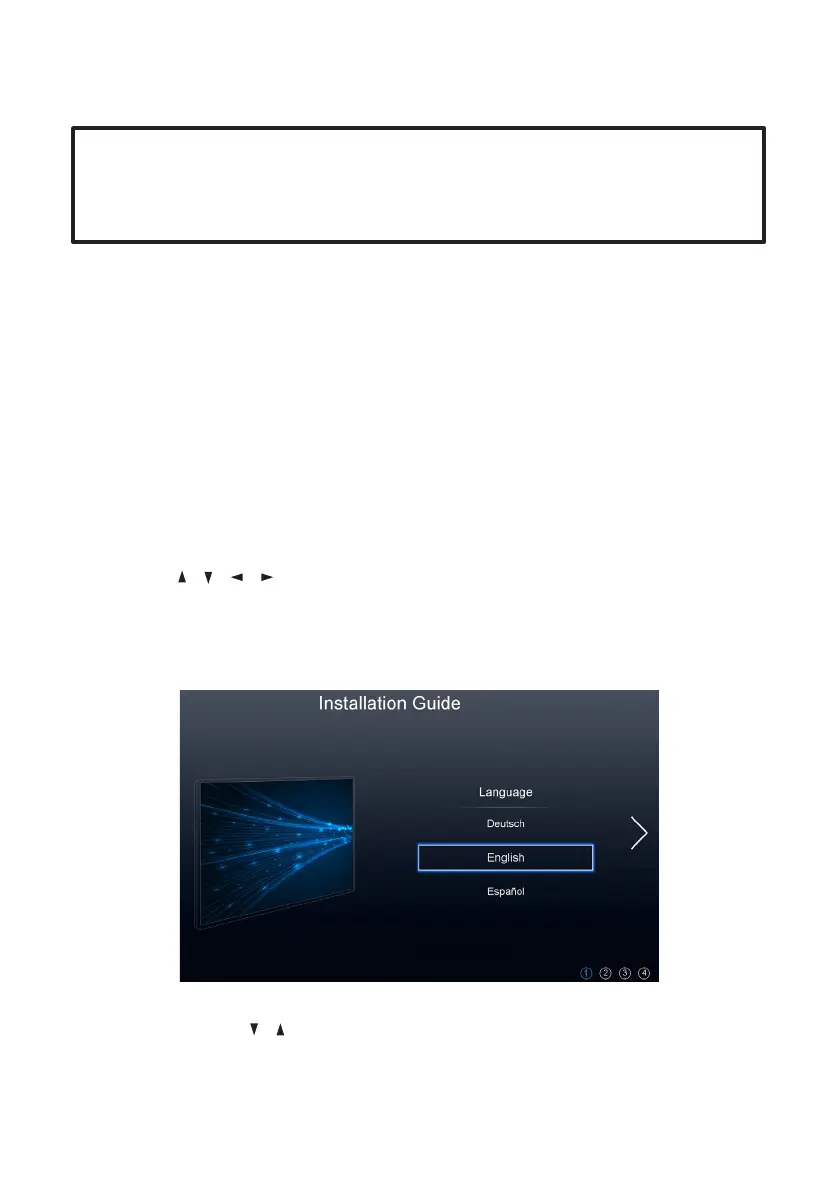
When you switch on the TV for the first time, the First Time Setup menu will be
displayed on the screen, as illustrated below.
Setup navigation
• Press the / / / buttons to select different sub menus.
• Press the OK button to confirm settings.
• Press the MENU button to go back to the previous step.
• Press the EXIT button to exit the menu page.
Step One:
Language: Use the / buttons to select your On-Screen Display (OSD)
language and then press the OK button to go to the next step.
IMPORTANT!
Make sure all relevant equipment is properly connected (as illustrated on the
previous pages) before connecting the unit to a wall socket and turning on
the power.



 To Next Page