35
Menus (Cont.)
Time
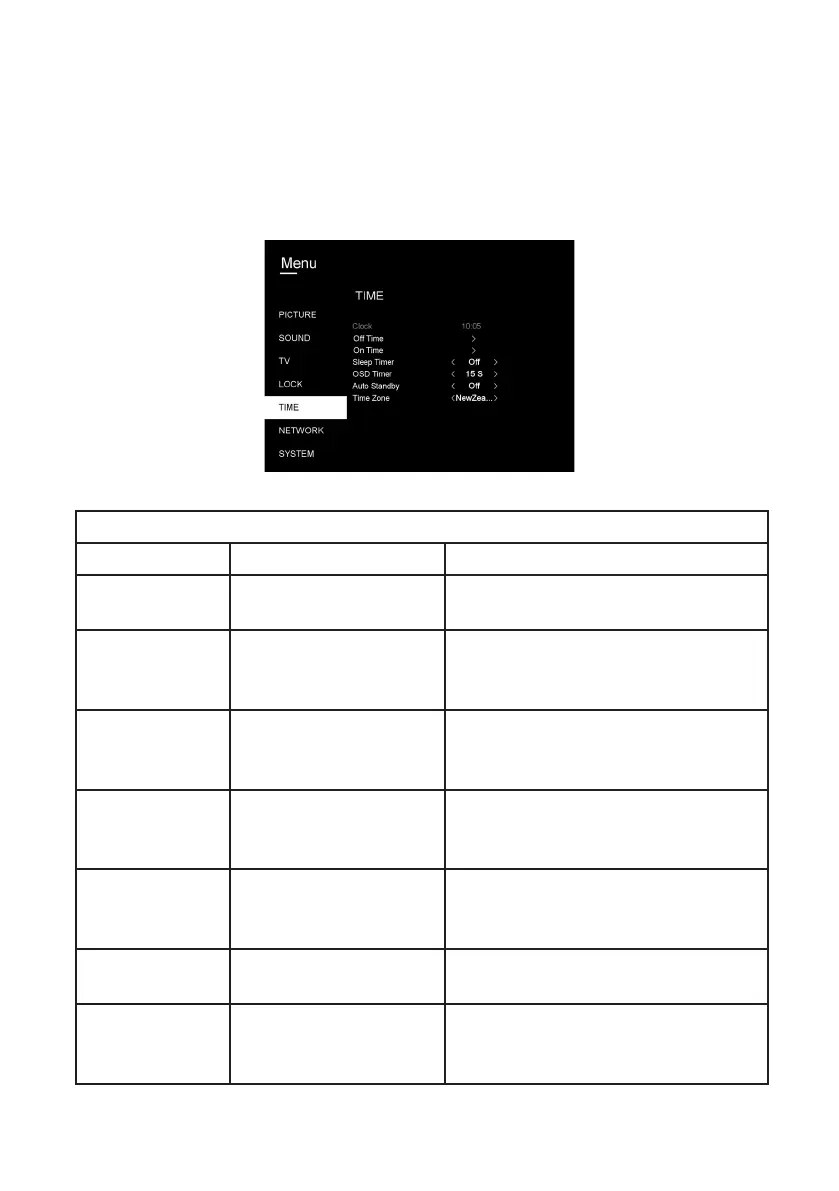
• To access the Time menu, press the MENU button, select Time and then press
OK.
TIME
ITEM SETTING OPTIONS EXPLANATION
Clock
Displays the current time information.
Off Time
Off / Once / Everyday /
Mon-Fri / Mon-Sat / Sat-
Sun / Sunday
Automatically turn off the TV
according to specified days and time.
On Time
Off / Once / Everyday /
Mon-Fri / Mon-Sat / Sat-
Sun / Sunday
Automatically turn on the TV
according to specified days, time,
input source, channel and volume.
Sleep Timer
Off / 10 / 20 / 30 / 60 /
90 / 120 / 180 / 240 min
Set the timer in minutes for when you
would like the TV to turn off.
OSD Timer
Off / 5 / 15 / 30 / 60 sec
Choose how long you would like the
TV menus to be displayed on screen.
Auto Standby
Off / 3h / 4h / 5h
Set the timer in hours to place the TV
on Standby.
Time Zone
(NZ) / NSW/ACT / VIC
/ QLD / TAS / WA / SA
/ NT
Select your time zone. Default is NZ.



 To Next Page