5.2 LCD Menu and Screens
The menu driven LCD user interface lets you browse the UPS status, view operating parameters, customize settings, control
operation, and view alarm/event history. Use the function keys to navigate through the menu, and view statuses or select
settings in the screens.
5.2.1 Startup and Flow Screens
At start-up, the UPS executes a system test and displays the Vertiv logo screen for about 10 seconds, shown in Figure 5.1 on
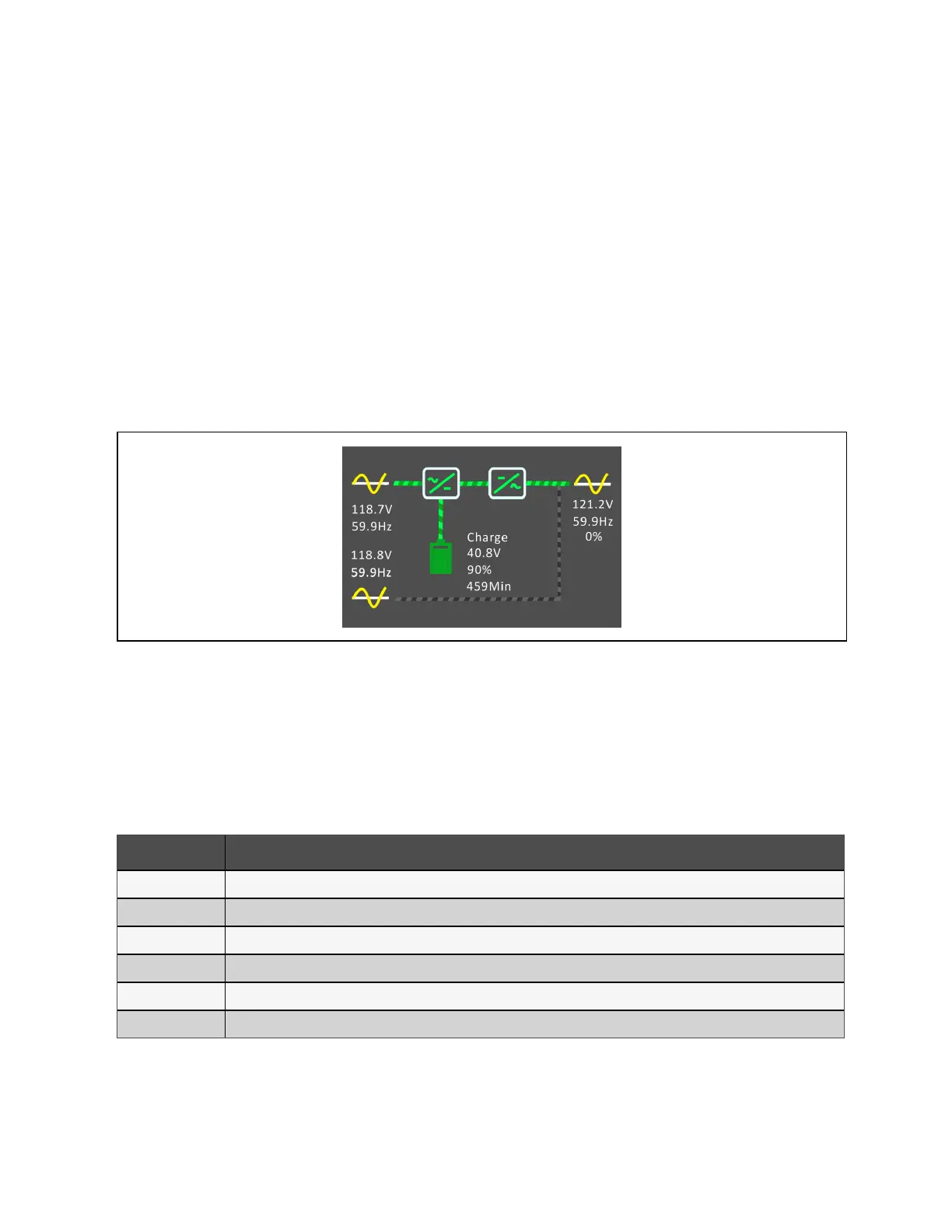
page55. After the test completes, an overview screen shows status information, the active (green) power path, and the
inactive power path (gray).
NOTE: Figure 5.3 below is an example flow screen and does not reflect the actual values that you may see on your
unit.
Figure 5.3 UPS Flow Screen
5.2.2 Main Menu
To access the main menu, press Enter while at the flow screen. Table 5.3 below, describes the menu options, and Figure 5.4
on the next page, describes the display.
Use the arrow buttons to select the sub-menu options, and press Enter to open the sub menu. Press ESC to return to the flow
screen.
Sub Menu Description
Status Voltage, current, frequency, and parameters for UPS components, see Status Screen on the next page.
Settings Display and system parameter settings, see Settings Submenu on page61.
Control UPS controls, see Control Screen on page68.
Log Current alarms and event history, see Log Screen on page69.
About Product and network information, see About Screen on page72.
Maintenance Service only, service password protected page for use only by Vertiv service representatives.
Table 5.3 Menu Options
5 Operation and Display Panel Proprietary and Confidential ©2024 Vertiv Group Corp. 57
Vertiv™ Liebert® GXT5 UPS Installer/User Guide








 To Next Page