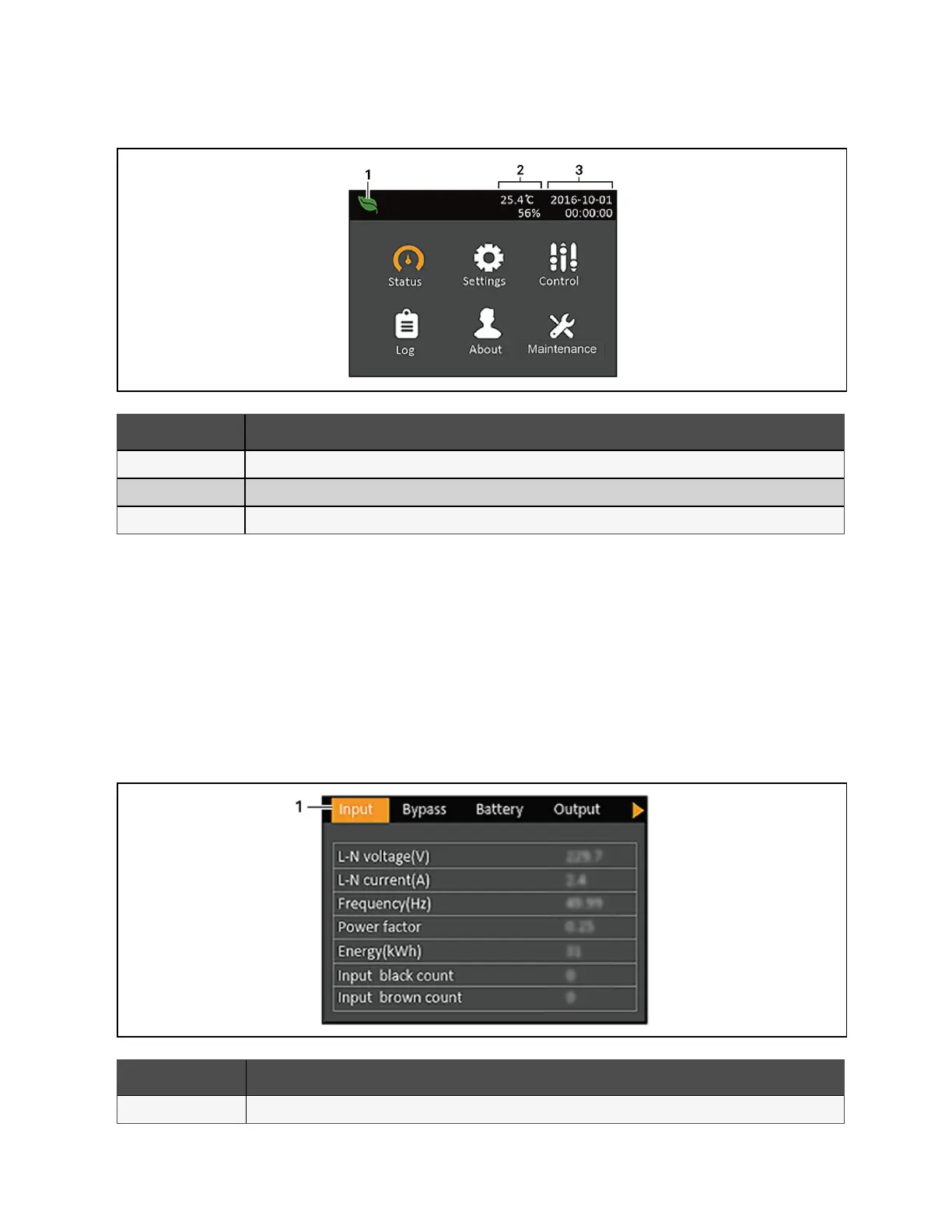
Figure 5.4 Main Menu
Item Description
1 ECO mode indicator.
2 Ambient Temperature
3 Date and Time
5.2.3 Status Screen
The status screen displays voltages, currents, frequencies, and parameters on individual tabs for input, bypass, battery,
output, and load status.
To view the UPS status information:
1. At the main menu, select the Status icon, and press Enter.
2. Use the arrow buttons to move the cursor left/right and select a tab, then press Enter to display the status
information for the selected tab.
Figure 5.5 Status Screen Tabs
Item Description
1 Screen tabs with Input tab selected
58 Proprietary and Confidential ©2024 Vertiv Group Corp. 5 Operation and Display Panel
Vertiv™ Liebert® GXT5 UPS Installer/User Guide








 To Next Page