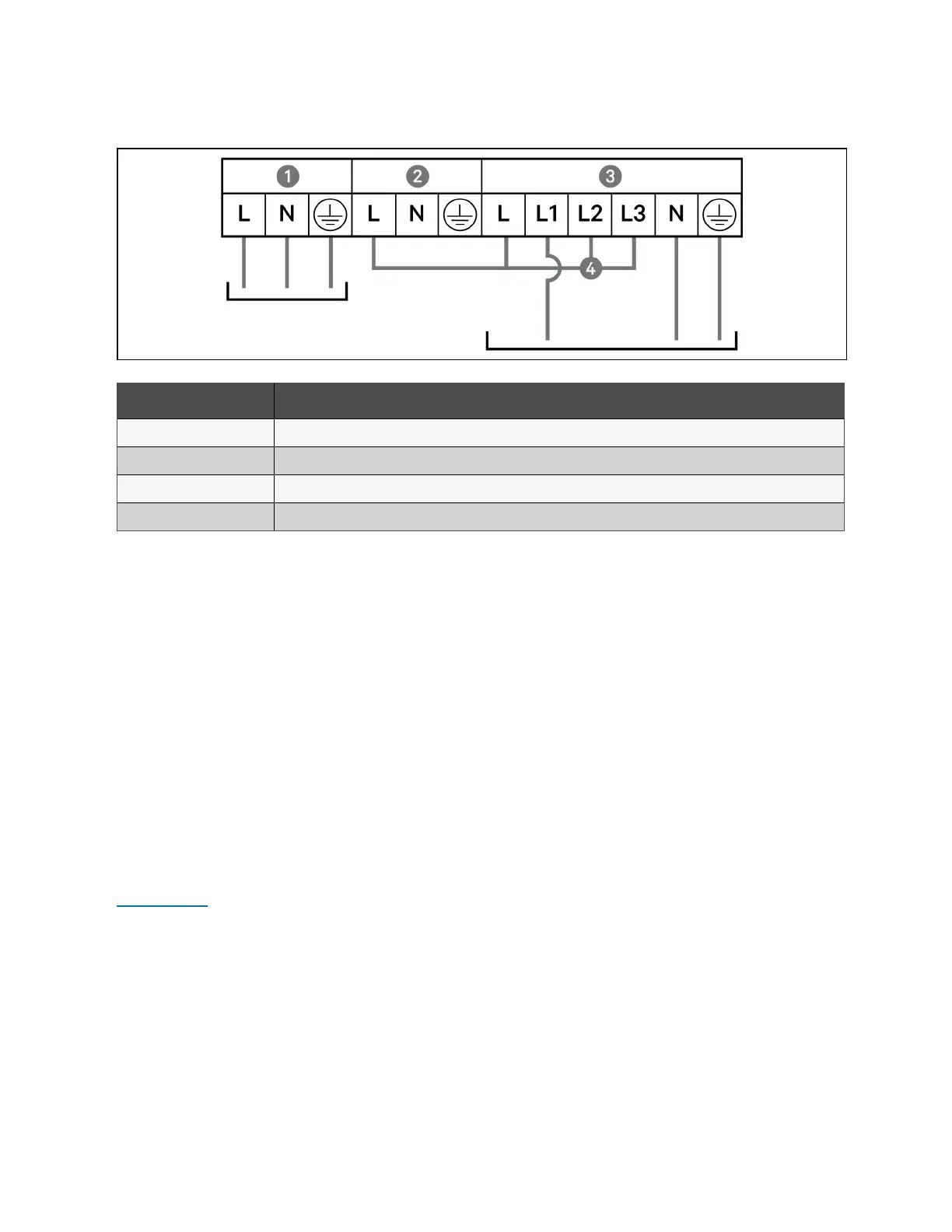
Figure 3.10 1-in 1-out Common Source Connection, 16 kVA and 20 kVA Models
Item Description
1 Output
2 Bypass
3 Input
4 Shorting cable (W03), included with accessories
3.7 Communication Connections
The UPS offers several communication interfaces and ports.
NOTE: We recommend that signal cable lengths be less than 10 ft (3 m), and are kept away from power cabling.
3.7.1 Connecting IntelliSlot Communication
The Vertiv™ Liebert® IntelliSlot™ RDU101 provides SNMP and/or RS-485 monitoring of the UPS across the network and/or
building management system.
See the appropriate figure for your model in Rear Panels on page5, for the location of the card port.
To install an IntelliSlot Card:
1. Remove the screws from the slot cover plate and remove the plate.
2. Insert the card into the slot, and secure with the screws that held the cover plate.
To make connections to the card, refer to the Installer/User Guide for the appropriate IntelliSlot card available at
www.vertiv.com.
3.7.2 Connecting to the Dry contact Port
The UPS includes a dry contact port. See the appropriate figure for your model in Rear Panels on page5, for the location of
the port. Figure 3.11 on the facing page, shows the ports and Table 3.4 on page44 describes each port.
The I/O dry contact port ratings are 125 VAC, 0.5 A; 30 VDC, 1 A.
42 Proprietary and Confidential ©2024 Vertiv Group Corp. 3 Installation
Vertiv™ Liebert® GXT5 UPS Installer/User Guide








 To Next Page