Prompt Meaning
Fail to change password,
please try again
Appears when attempting to change the Settings password but the new and confirmation passwords do not match.
The time cannot be earlier
than system time
Appears when attempting to set the time of ‘Turn on delay’ or ‘Turn off delay‘ earlier than the current system time.
Turn on failed, condition is
not met
Appears when proper conditions are not met for UPS power on. Applies when using the Power button or when execute the
command of ‘Turn on/Turn off/to Bypass’ on the LCD panel ‘Control’ page).
Cannot set this on line,
please unplug REPO
Appears when attempting to change the output phase number while the output is connected.
Table 5.5 Display Prompts and Meanings (continued)
5.3.2 Changing the Password
The default password is 111111 (six ones). You must use the current password to change the password.
NOTE: We recommend that you change the password from the default to protect your system and equipment. Record
the new password and store it in an accessible location for later retrieval.
1. At the main menu, select the Settings icon, and press Enter.
2. At the password prompt, use the up-arrow to select the first digit, press the down-arrow to move to the next digit,
repeat for each digit, then press Enter to access the settings.
3. Use the arrow buttons to select the Monitor tab, then press Enter.
4. Use the down arrow to highlight Change Settings Password, press Enter, and re-enter the current password.
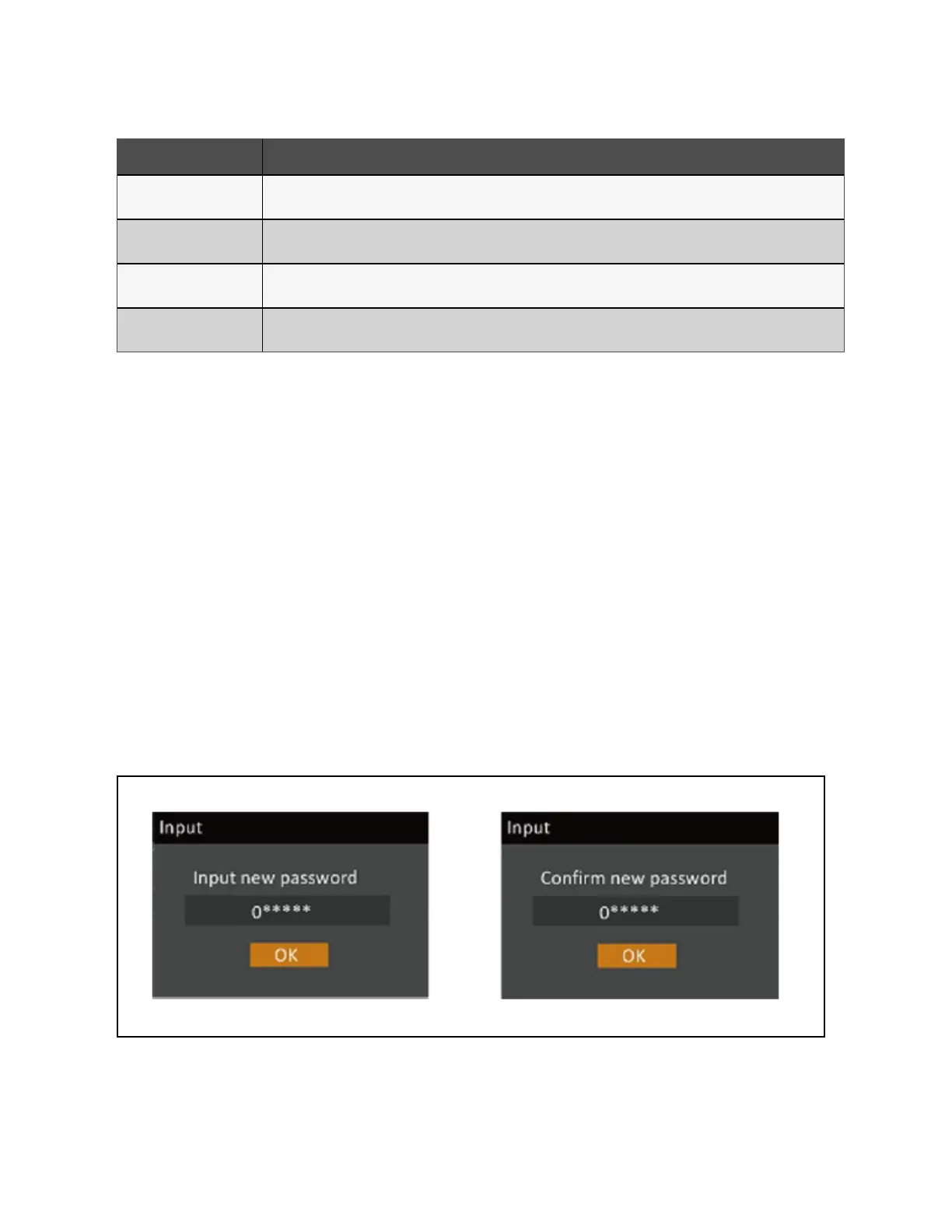
The Input new password dialog opens, see Figure 5.10 below.
5. Enter the new password, then confirm the new password.
A confirmation dialog opens to indicate a successful password change.
6. Press ESC to return to the settings or main menu.
Figure 5.10 New and Confirm Password Dialogs
5 Operation and Display Panel Proprietary and Confidential ©2024 Vertiv Group Corp. 75
Vertiv™ Liebert® GXT5 UPS Installer/User Guide








 To Next Page