• 0 to 30 minutes (default is 0)
Outlet settings based on capacity
Threshold of turning off the outlet
When the selected percentage of capacity remains in battery mode, the outlet turns off. Select the checkbox to
enable or disable (default) the option.
• 20 to 80% (default is 20%)
Turn on when power returns
Length of time after the mains input power returns before turning on the outlet. Select the checkbox to enable or
disable (default) the option.
• 0 to 30 minutes (default is 0)
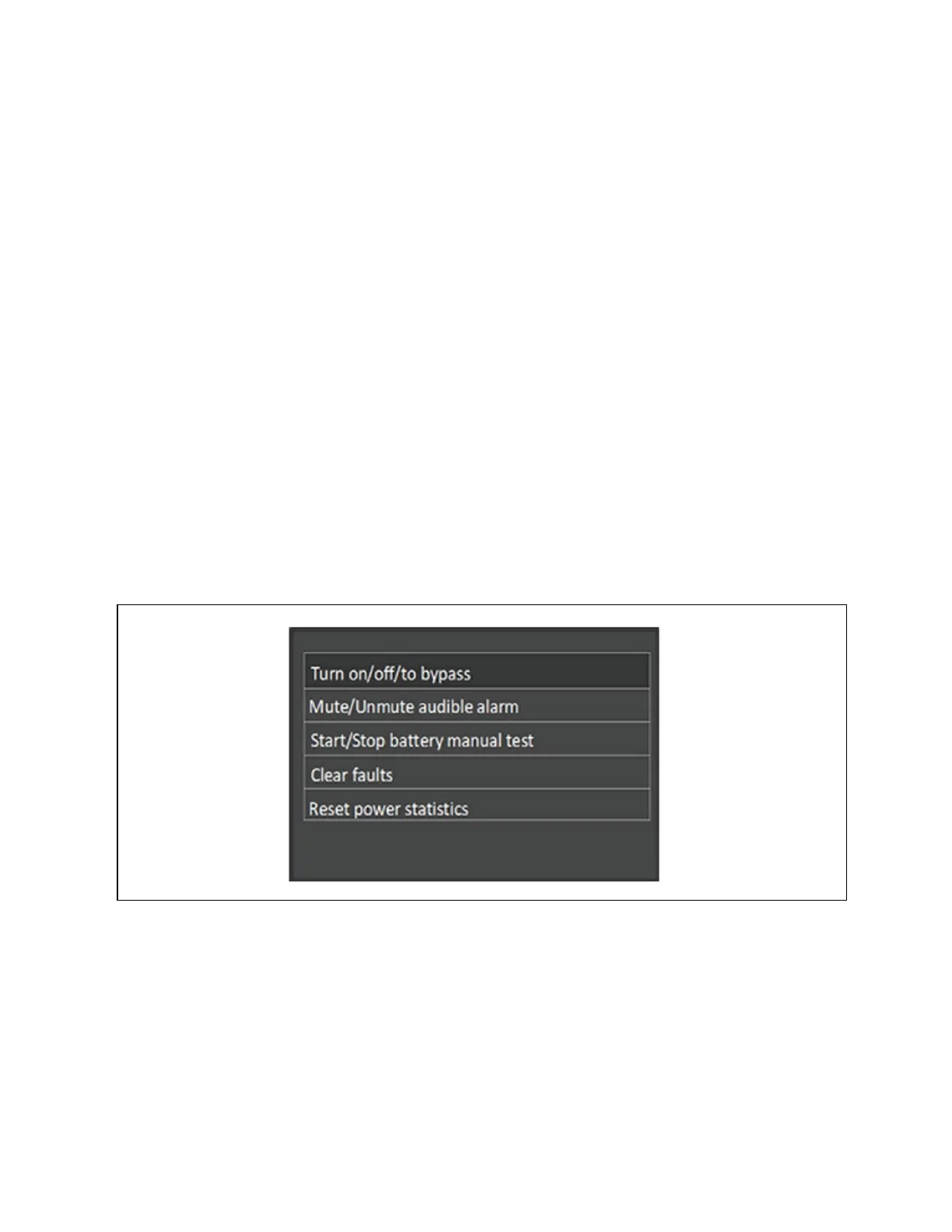
5.2.5 Control Screen
The Control screen offers UPS control options.
To adjust the UPS controls:
1. At the main menu, select the Control icon, and press Enter.
2. Use the arrow buttons to move the cursor to the option, then press Enter.
Figure 5.6 Control Screen
Control Options
Turn on/off/to bypass
Opens the dialog to change operating modes, see Operation and Display Panel on page55.
Mute/Unmute audible alarm
Silences or un-silences the audible alarm, see Silencing the Audible Alarm on page51.
Start/Stop battery manual test
68 Proprietary and Confidential ©2024 Vertiv Group Corp. 5 Operation and Display Panel
Vertiv™ Liebert® GXT5 UPS Installer/User Guide








 To Next Page