3.5 Installing a Power Distribution Box
WARNING! Risk of electric shock. Can cause equipment damage, injury and death. Before beginning
installation, verify that all external overcurrent protection devices are open (Off), and that they are locked-
out and tagged appropriately to prevent activation during the installation, verify with a voltmeter that power
is Off and wear appropriate, OSHA approved personal protective equipment (PPE) per NFPA 70E. Failure to
comply can cause serious injury or death. Before proceeding with installation, read all instructions. Follow all
local codes.
The 5 kVA to 10 kVA models ship with a removable power distribution box (POD) installed, see Terminal-Block Electrical
Specifications on page39, to make the electrical connections to the UPS. For removal, see the appropriate procedures in
Maintenance on page77.
For 16 kVA to 20 kVA models, the POD is optional, ships separately, and must be attached to the rear of the UPS. See
Removable Power Distribution Box on page16, for the POD options compatible with your Vertiv™ Liebert® GXT5 model.
NOTE: Do not operate the UPS with the POD removed. To shut off all power to the POD and to the load, utility input
power must be disconnected.
To attach the POD on 16 kVA to 20 kVA units:
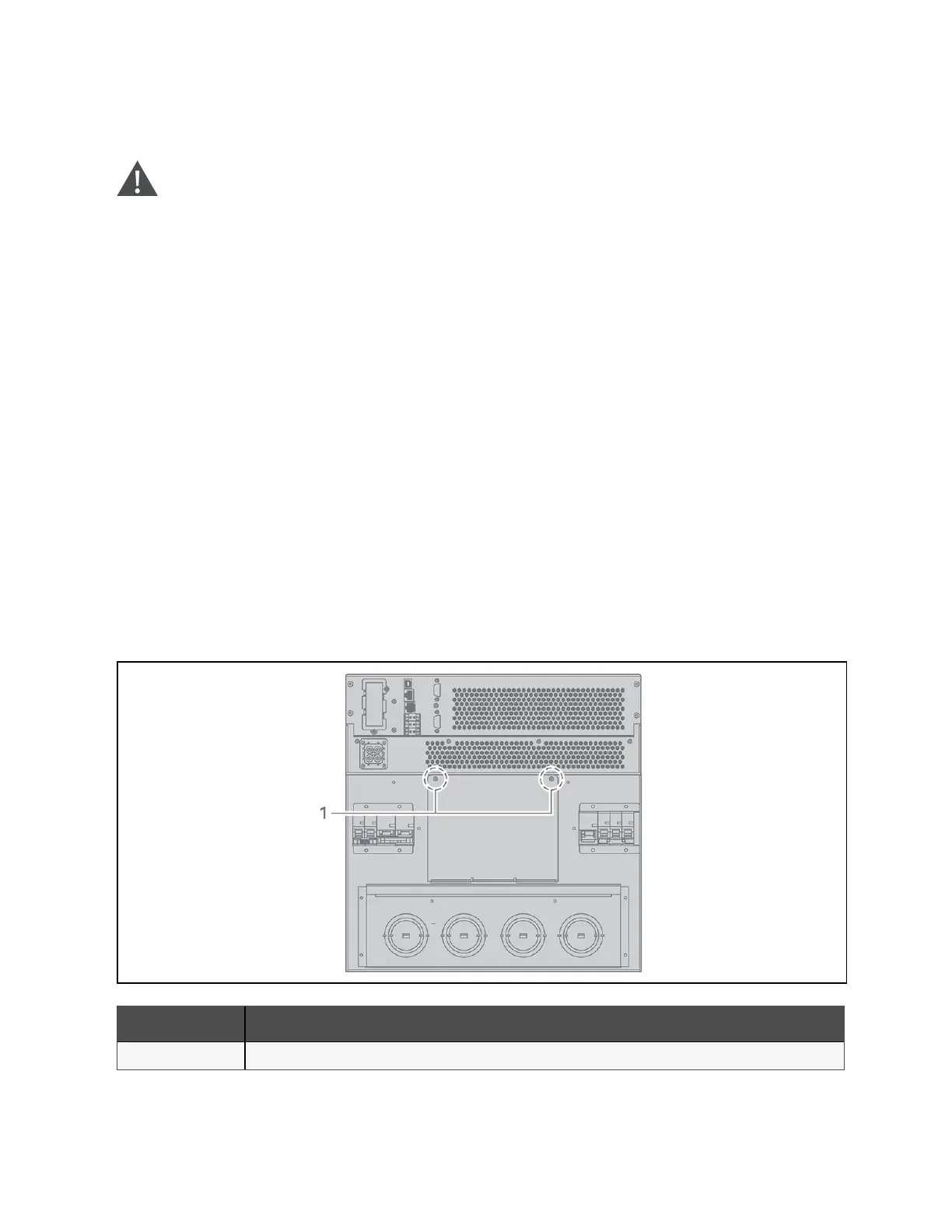
1. On the rear of the unit, unscrew the two fixing screws from the POD location cover, see Figure 3.4 below, and
remove the cover.
2. Insert the POD receptacles into the ports, and connect the PP75 terminal.
3. Align the POD with the installation hole, then insert and secure the POD.
Figure 3.4 POD-location Cover on 16 kVA to 20 kVA Models
Item Description
1 Fixing Screws
36 Proprietary and Confidential ©2024 Vertiv Group Corp. 3 Installation
Vertiv™ Liebert® GXT5 UPS Installer/User Guide








 To Next Page