Updating the Firmware
Updating the mOSW-C1 Firmware
MAP-200 Optical Switch mOSW-C1 Installation and User Guide Standard
June 2016 Document Number 22112369-120 R000 Page 44
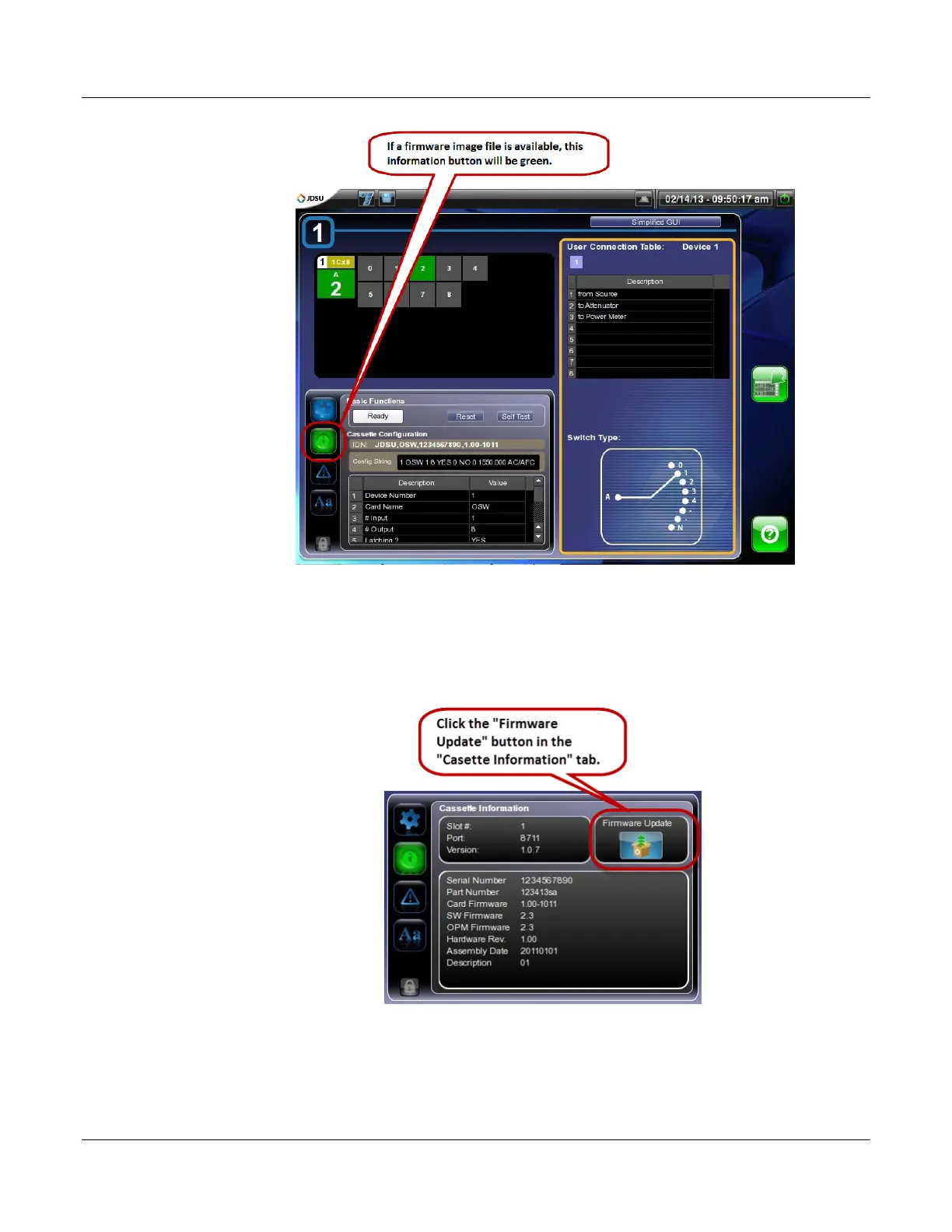
3. Make a note of the “Card Firmware” version.
4. Press or click on the “Firmware Update” button.
A “Firmware Image” dialog will appear.
(Procedure continued on next page.)
5. Select the correct firmware image in the “Firmware Image” dialog


 To Next Page