Updating the Firmware
Updating the mOSW-C1 Firmware
MAP-200 Optical Switch mOSW-C1 Installation and User Guide Standard
June 2016 Document Number 22112369-120 R000 Page 45
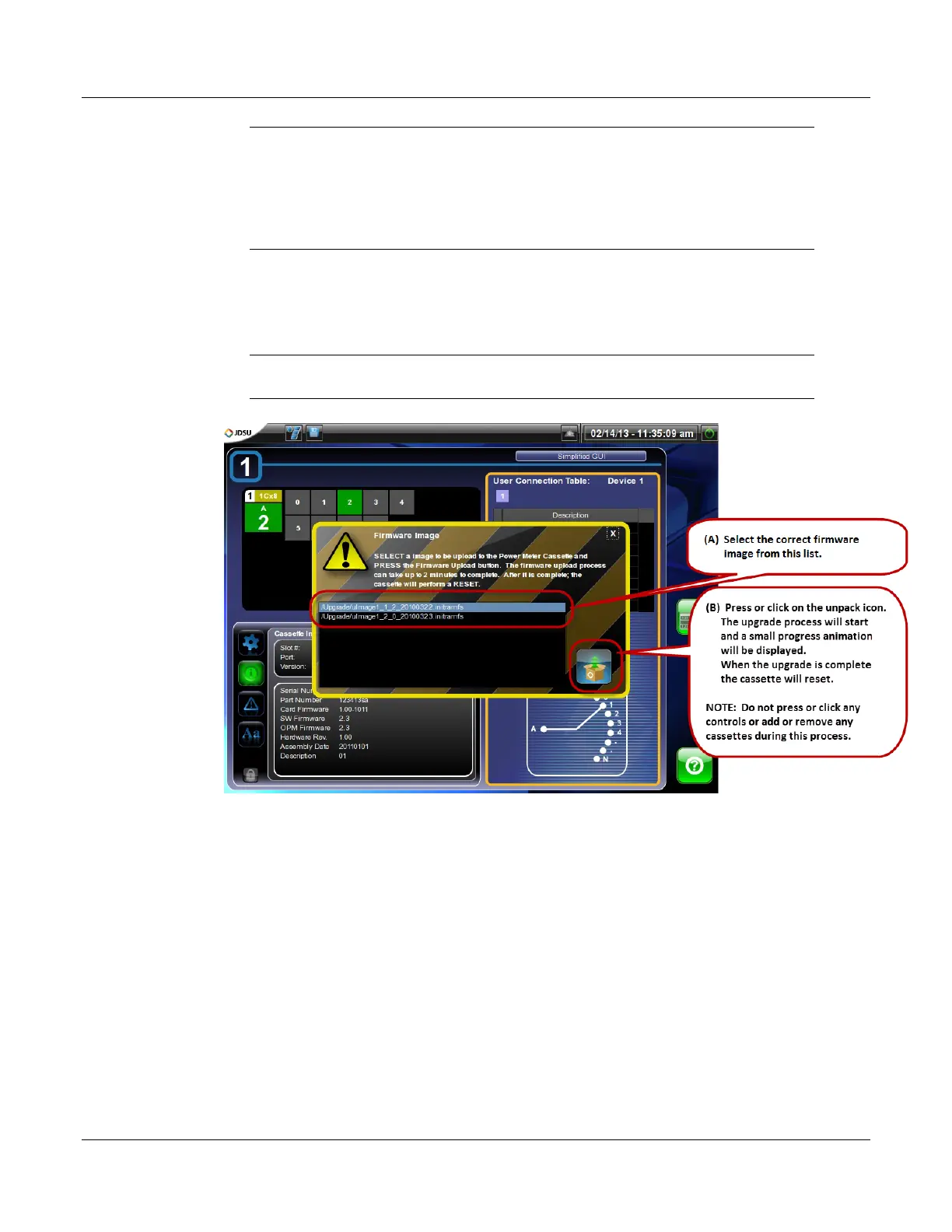
NOTE: This dialog allows you to upgrade the mOSW-C1 to the current
firmware version or downgrade it to a previous version. Refer to
the firmware version recorded in step 4 then decide which
firmware version you want to install. Normally the correct choice
is the most recent firmware version. The firmware version number
is included in the file name of the image file.
6. Press or click the “Unpack” icon.
The upgrade process will start and a progress indicator will appear. When
the upgrade is complete the cassette will reset.
NOTE: Do not press or click any controls or add or remove any cassettes
during this process.


 To Next Page