42
Chapter 4 Videonics MX-Pro User Guide
WORKING WITH COLORS
Common uses for color include solid colored backgrounds and colored borders around
objects. So, you need to know how to choose colors and identify those you’ve chosen.
MXPro gives each color a unique number ranging from 0 (zero) to 9. The following
table defines these colors and their code numbers.
The maximum number of colors in the MXPro palette is ten. You can change nine of
the ten colors. You cannot change Black.
a. You cannot modify Black (color code 0).
Identifying Colors
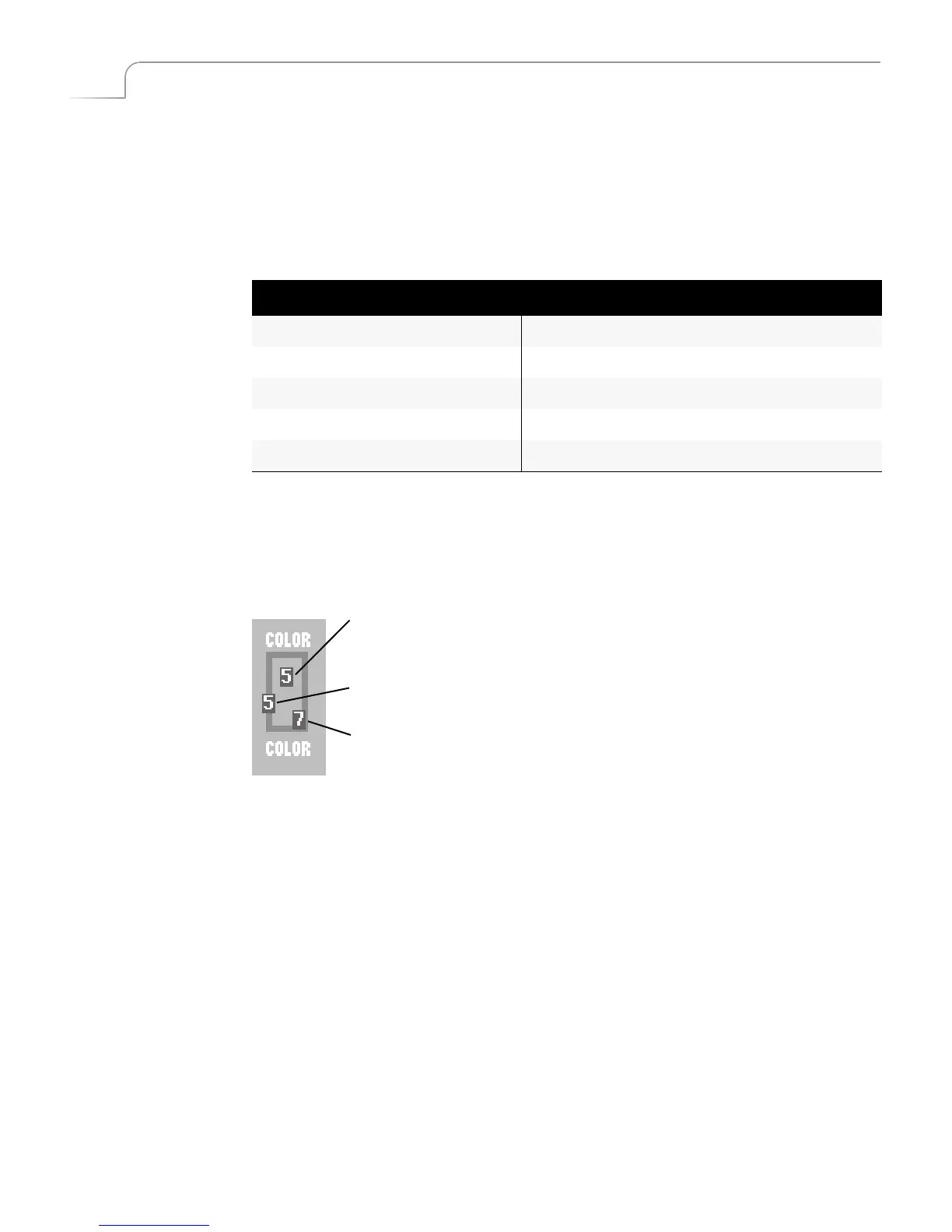
The Color Selector appears in the upper-right cor-
ner of the Preview screen. It indicates colors selected
for the background and borders as well as border
style.
The inner-most rectangle shows a sample of color
assigned to the background as well as the color
number. The border around the rectangle shows
both the current border style and color and their
associated color and style codes.
Table 3: Default Colors and Numbers
Code Color Code Color
0 Black
a
5 Green
1 White 6 Bright Blue
2 Gray 7 Light Blue
3 Red 8 Purple
4 Yellow 9 Medium Blue-Green
ac
groun
o
or
Border Style
Border Color



 To Next Page