79
Functions Configuring MXPro
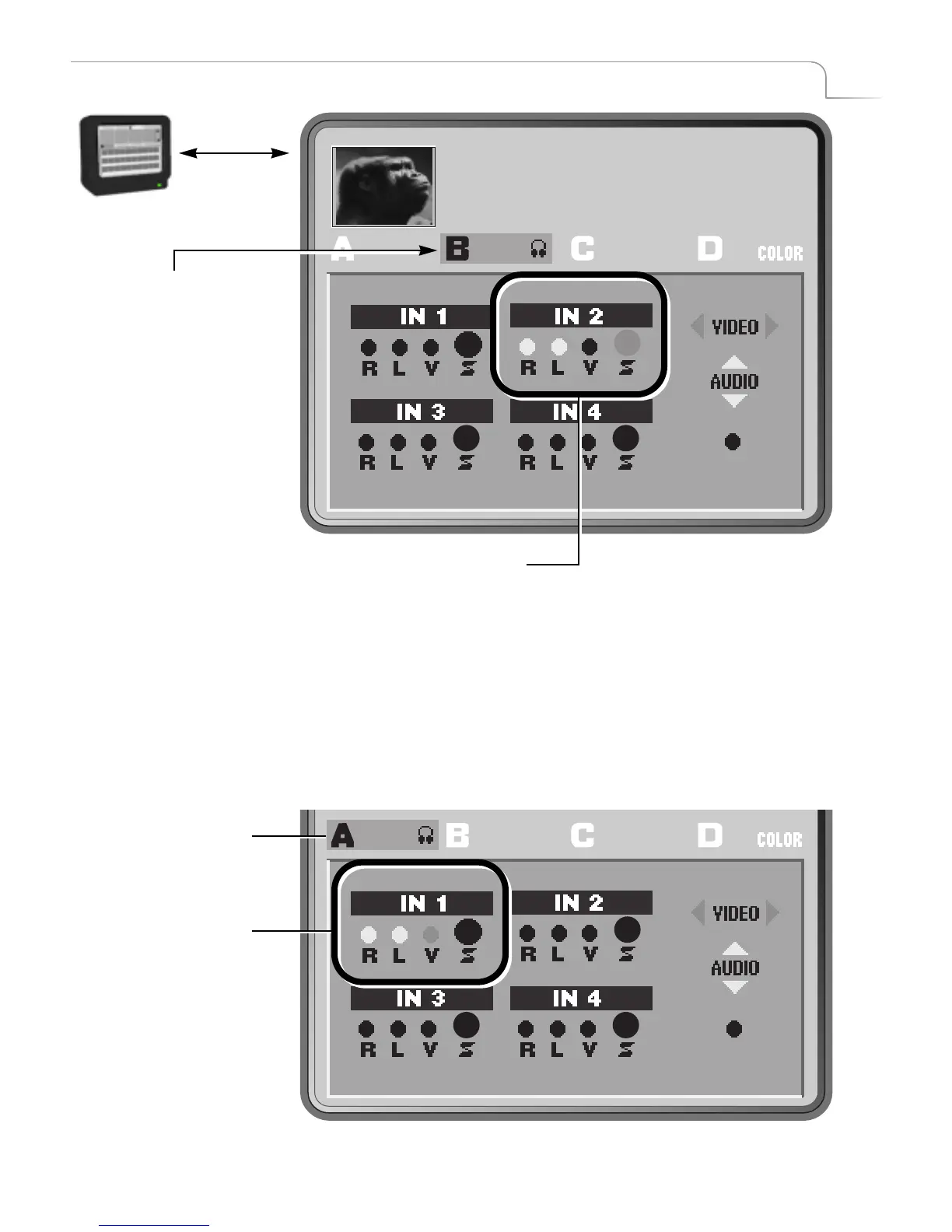
Note above that channel B is currently selected. The
IN 2
diagram indicates that
the audio signals route to the
Right and Left jacks and the video signal routes
through the S-Video jack. This is the correct configuration for this source, so no
change is necessary.
4 Press NEXT/A to select that channel.
5 Press LEFT ARROW to highlight the V (Composite Video) option in the IN 1
diagram.
MUTE
MXPro highlights the cur-
rently selected NEXT chan-
nel – in this case, channel B.
To select a different channel,
press the corresponding
NEXT button. For example,
to select channel C, press
NEXT/C. MXPro then high-
lights that channel in the
menu.
MXPro highlights the appropriate R, L, V,
and/or S connectors in the corresponding
diagram showing the current configuration
for the current channel.
MUTE
Channel A Selected
Channel A Settings



 To Next Page