50
Chapter 5 Videonics MX-Pro User Guide
B
ASIC
T
RANSITION
C
ONCEPTS
Transitions create on-screen effects used when switching from one source to another
(that is, one scene to another). The most basic type of transition is the
cut
, where the
first frame from the NEXT source immediately replaces the last frame from the CUR-
RENT source. Cuts produce abrupt changes. Other types of transitions use special
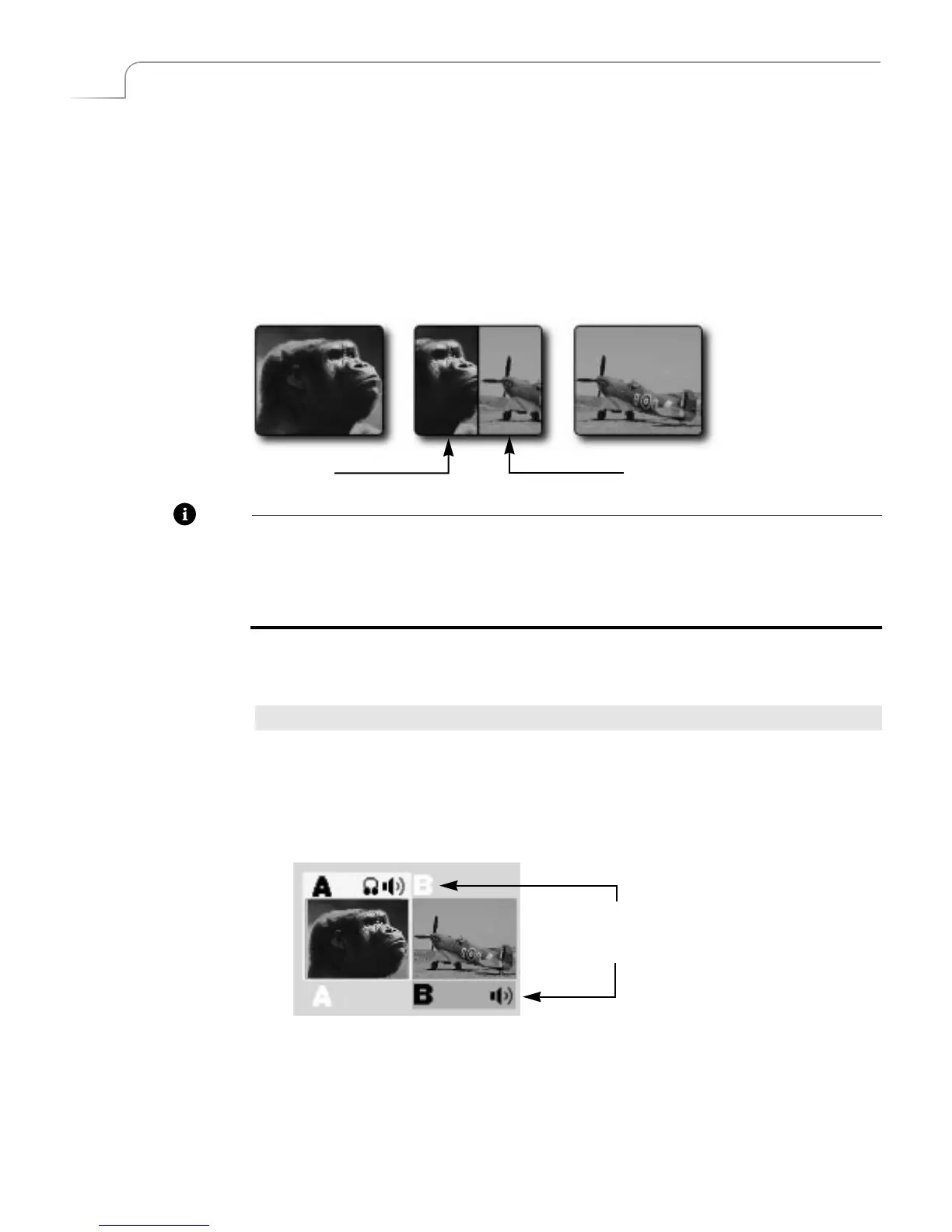
effects to produce a smoother, more artistic change from one source to the next. The
following illustration shows a horizontal wipe transition.
Note
When discussing transitions, we use the letters
a
and
b
to differentiate the beginning
scene (
a
) from the ending scene (
b
). These letters often appear in the transition icons to
indicate the direction in which the transition travels. These letter indicators have
no
relationship
to the A, B, C, and D letters used to differentiate between MXPro
channels.
The following basic steps explain how to run a transition with MXPro. Each step is
described in more detail later in this chapter.
To run a transition:
1
Display the CURRENT source on the output screen. For example, press
CUT/A
to
make A the current source.
2
Select the NEXT source — the one you want to appear on the output following
the transition. For example, press
NEXT/B
to make that the next source.
3
Select a transition to use. For example, press the
BASIC
Transition Category but-
ton, then select a wipe transition from the menu.
4
Prepare the sources (such as VCR’s and camcorders) and let them roll.
5
At the right moment, use either the
T-BAR
or the
PLAY
button to run the
transition.
Transition
in Progress
CURRENT NEXT
ab
Highlights above and below the
source previews indicate CURRENT
and NEXT sources, respectively.



 To Next Page