78
Chapter 7 Videonics MX-Pro User Guide
If your set up does not match the default options, you need to change the Route set-
tings. For example, assume you have an S-Video VCR attached to the input jacks
marked 1 (
IN 1
), and a Composite VCR attached to the input jacks marked 2 (
IN 2
).
You don’t need to change anything for the first input because it matches the default
settings. However, because the second source is a Composite device (rather than S-
Video) you need to notify MXPro of this fact.
To reconfigure Route settings:
1
Turn on both source devices and the Preview monitor. Start the source devices
rolling.
2
Turn on MXPro.
The introduction screen appears on the Preview monitor and, after a moment or
two, the Preview screen replaces the introduction.
3
Press
ROUTE
to display the Route menu.
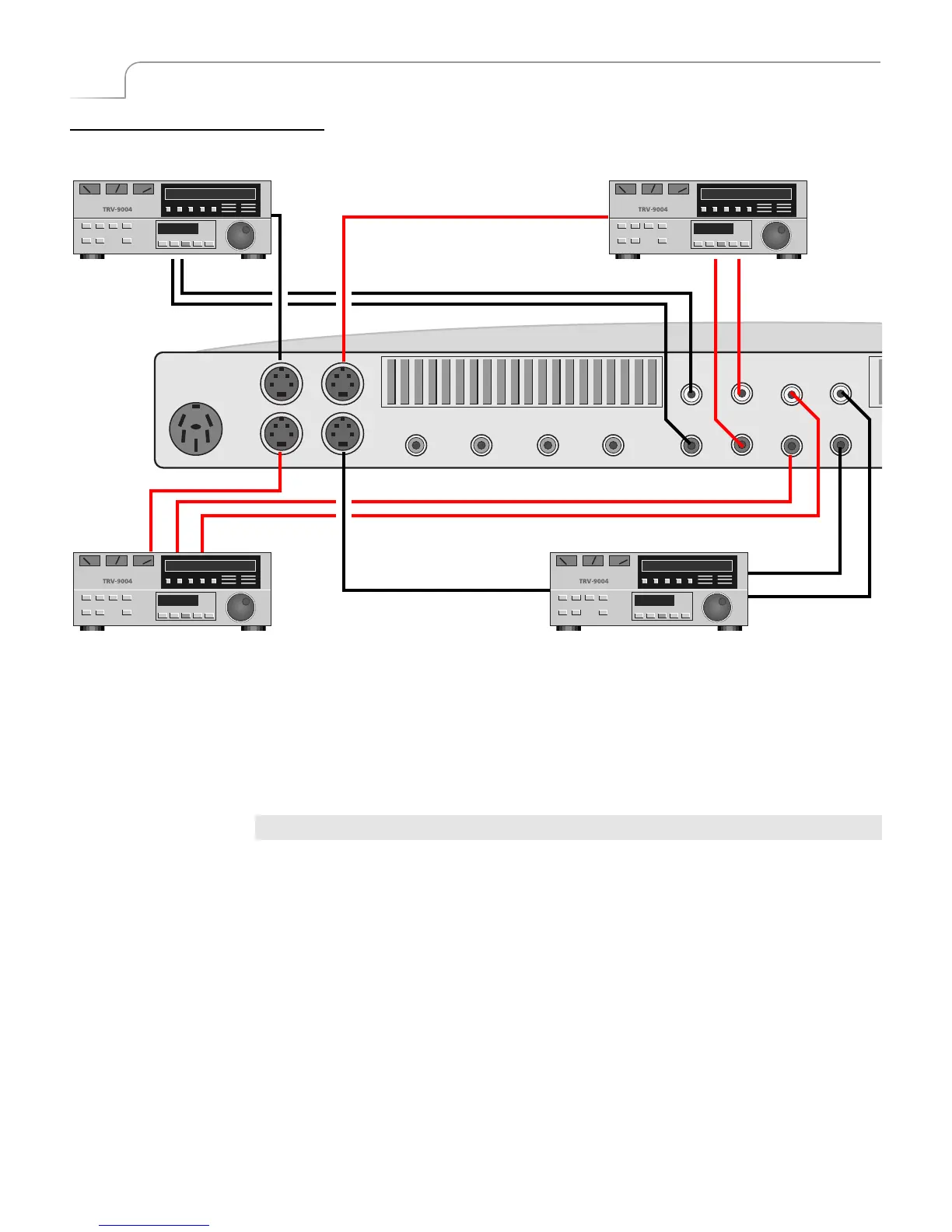
IN 1 routes to Channel A
IN 3 routes to Channel C IN 4 routes to Channel D
IN 2 routes to Channel B
Default Settings for Route Function
VIDEO
IN (Y/C)
VIDEO
IN
POWER
AUDIO
IN
D
12
1 2
34
1
L
R
L
R
2
3
4
3 4



 To Next Page