95x Series Operating Manual - May 17, 2022
Page 95 of 155
SECTION 7 – CONNECTING AND CONFIGURING INTERFACES
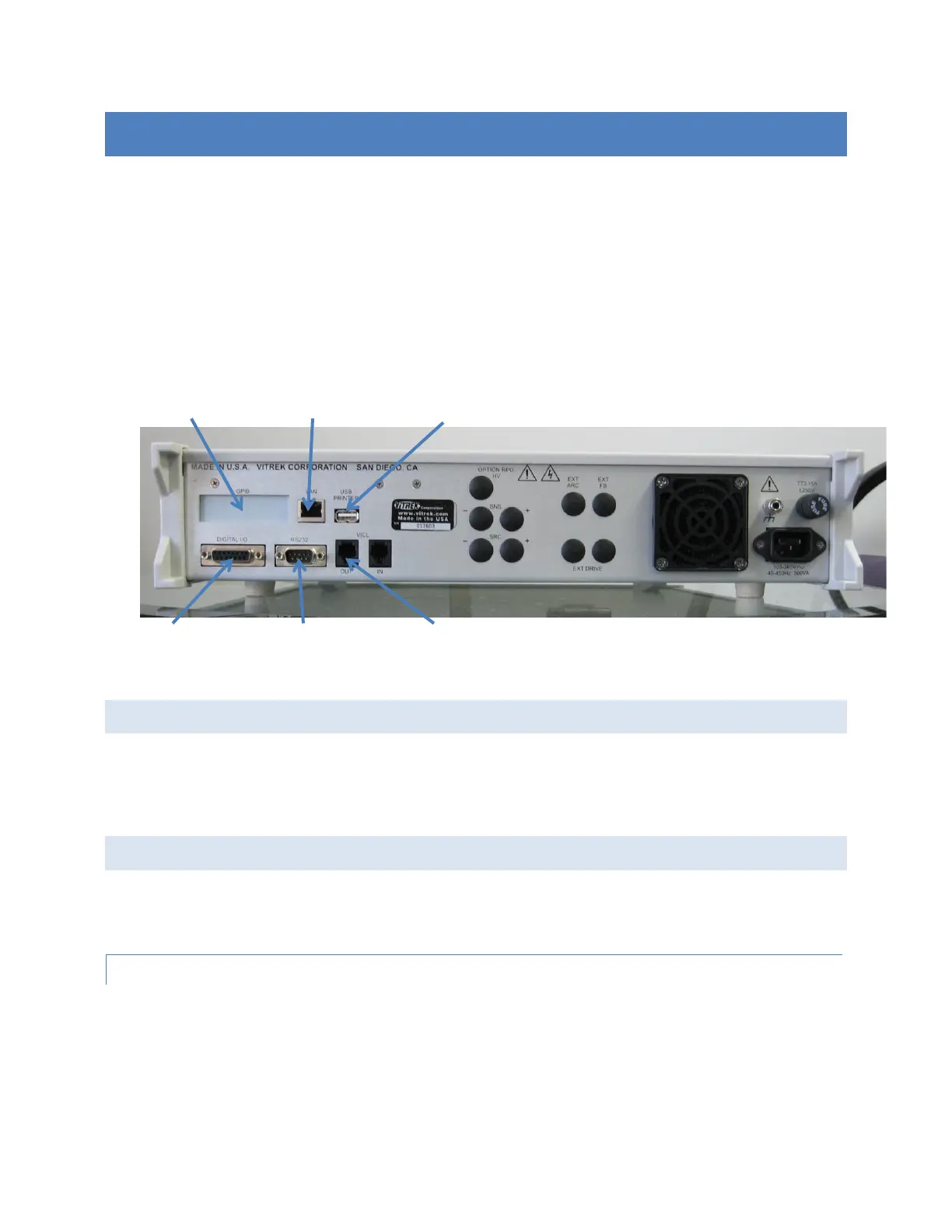
The 95x contains several interfaces, some of which are options. This section describes how to configure and
connect to each interface. Each description of menus only includes the settings pertinent to the section being
described.
For the DIO interface, see SECTION 8 – DIO INTERFACE
For programming information using an interface to control the 95x see SECTION 11 – PROGRAMMING VIA AN
INTERFACE.
NOTE – The user is recommended to disable all unused interfaces to avoid interference affects.
LOCAL AND REMOTE OPERATION
When the 95x receives a command from an enabled interface the front panel REMOTE indicator is illuminated, and
the user may not use the front panel menus. To attempt to return the 95x into the local state the user should
press the CNFG key on the 95x front panel. If the 95x has been enabled to return to the local state by the
controlling interface, then the REMOTE indicator will extinguish, and a message is displayed on the 95x front panel.
CONTROLLING EXTERNAL SWITCH MATRIX UNITS
The 95x can be configured to control one Vitrek 948i or up to 4 Vitrek 964i Switch Matrix units.
NOTE – the 95x must be configured to control an external Switch Matrix unit before a test sequence can be
created which contains steps to control it.
CONFIGURATION
• Ensure that the display indicates that the 95x is in the base menu state, i.e., the display shows the date
and time. If necessary, press the STOP button to abort a menu and return to the base menu state.
• Press the CNFG key.
• The display now shows the main configuration menu, an example of which is –
TEST…



 To Next Page