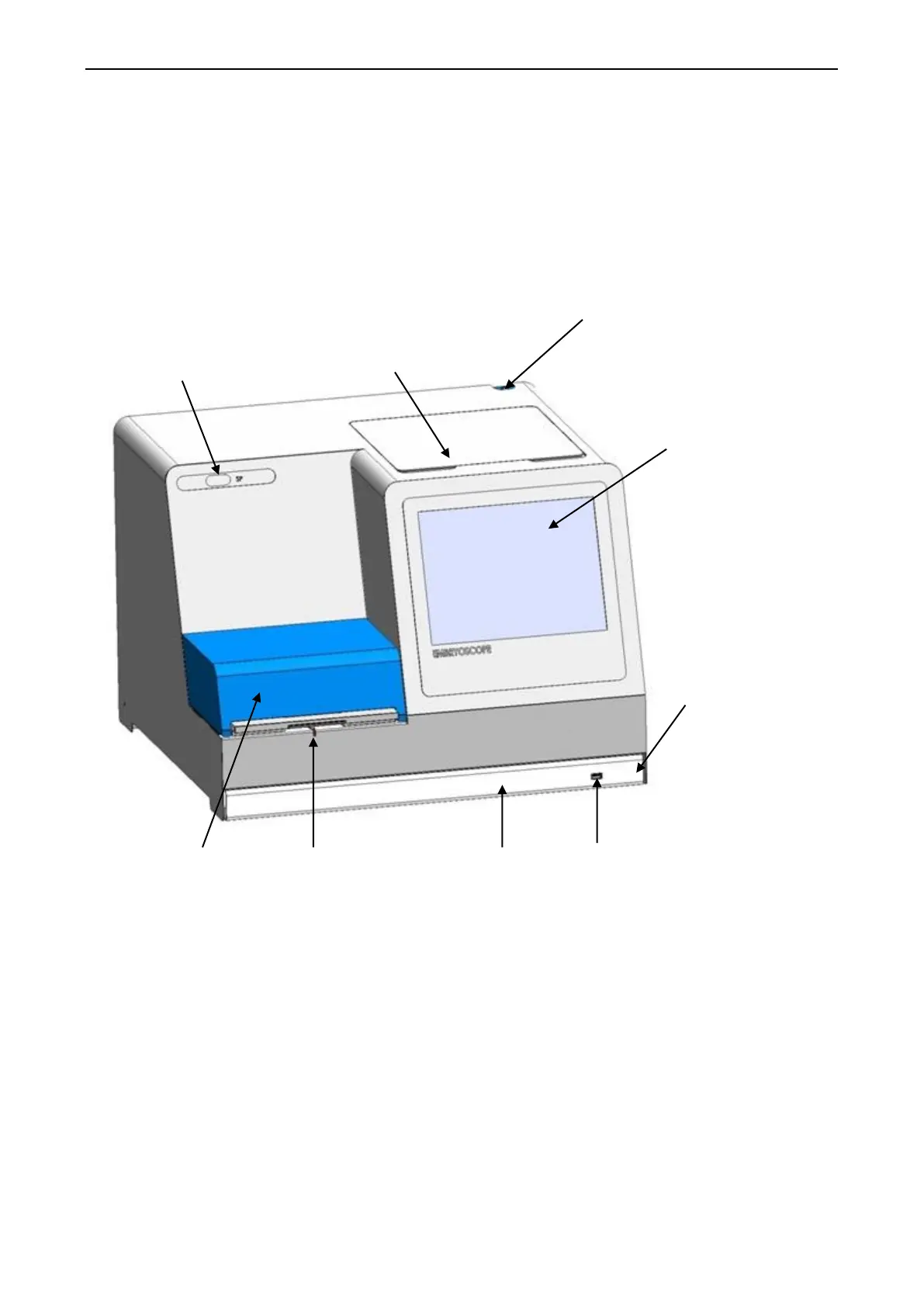
EmbryoScope time-lapse incubator
- 13 -
2 Overview of the EmbryoScope time-
lapse incubator
Image series are analysed automatically in real time with proprietary software. Blastomere activity
is a numerical parameter that reflects the amount of movement that has occurred between two
consecutive frames in the time-lapse image series. The blastomere activity has NO DIAGNOSTIC
USE, but can be used to aid users in identifying areas in the time series where events of interest
may be occurring. No operator input is required, and the output is available at any time during
incubation.
Backplate. Contains main
switch, connectors and
sockets
Service lid. Access to gas sample
pipe and filters. A copy of the
emergency procedures is also found
under the service lid


 To Next Page