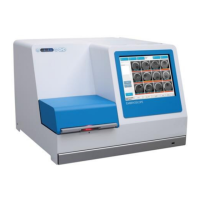
EmbryoScope time-lapse incubator
- 57 -
9.4 Information signals
In a number of pre-defined cases, the EmbryoScope time-lapse incubator will display an
information signal (a blue LED lamp on the control panel, see also section 5.1). Two types of
information signals may be issued: warning information signals and malfunction information signals
(see sections 9.4.1 and 9.4.2 for an in-depth description of each type of information signal).
Warning and malfunction information signals either indicate PC or software errors or function as a
reminder for the operator to perform an action, such as closing the load door or responding to a
dialogue box that is displayed on the touch screen.
PC or software errors may result in a loss of time-lapse images. However, such errors will not
affect the running conditions of the EmbryoScope time-lapse incubator as the temperature level
and gas concentrations are controlled by an independent unit.
Warning and malfunction information signals cannot be reset unless the condition that caused the
signal to be activated is resolved. The condition may possibly be resolved by responding to an
error message displayed on the screen or by rebooting the PC.
9.4.1 Malfunction information signals
The EmbryoScope time-lapse incubator will issue a malfunction information signal if:
• The X or Y or focus motor is in error. The motor may e.g. be incorrectly positioned.
• The user has failed to respond to a displayed dialogue box for more than 15 minutes (the
time delay can be defined by the user).
• An error occurred while initialising the Hall sensor.
• The connection between the camera and the integrated PC has been lost.


 To Next Page