EmbryoScope time-lapse incubator
- 39 -
6.4 Playing a time-lapse video
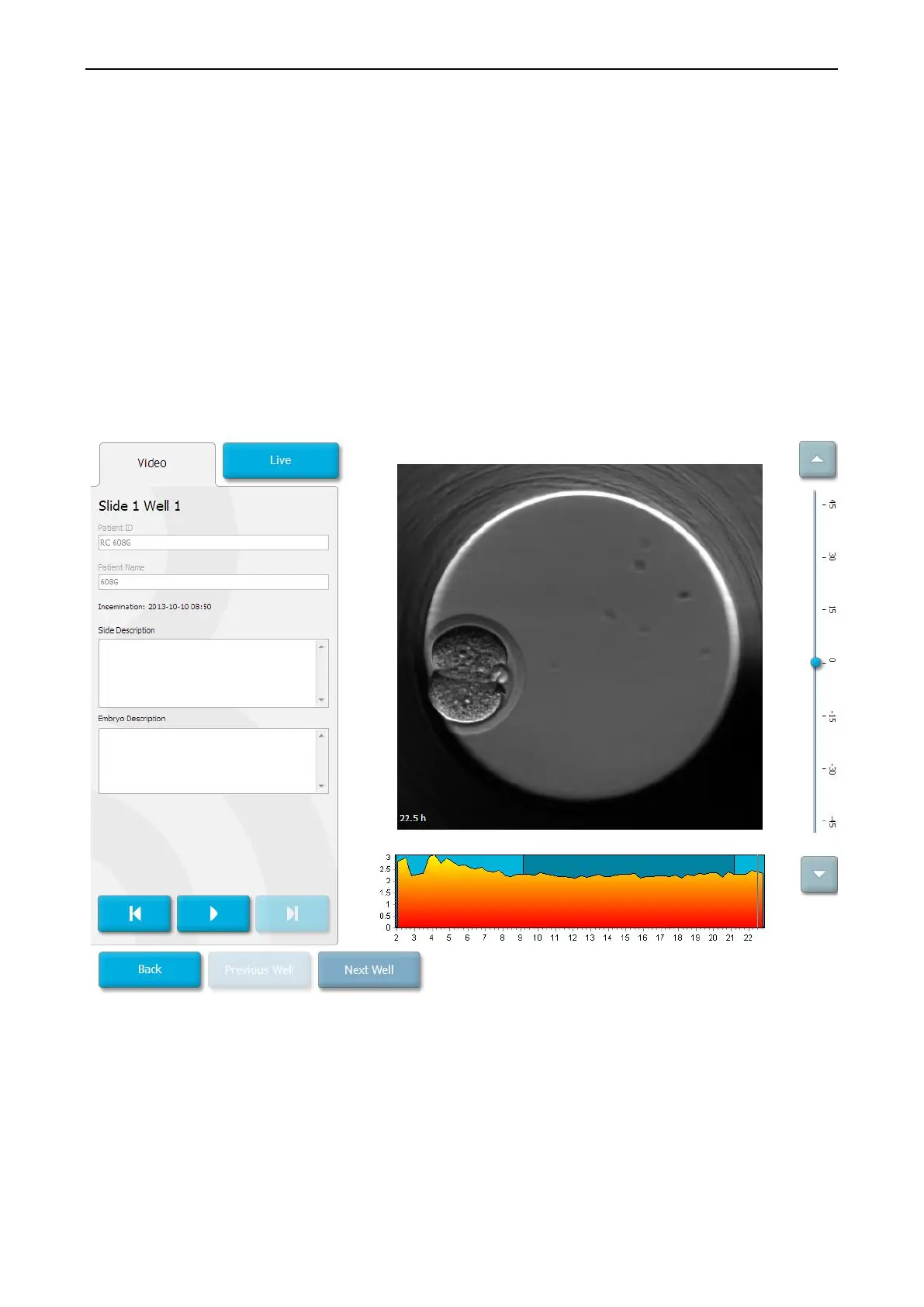
From the home screen -> Slide tab -> Video tab, you can play an embryo time-lapse video
by pressing the right arrow button in the video playback controls area (see the illustration
below).
The timeline of the embryo development is shown by the vertical black line in the blastomere
activity bar chart.
While the time-lapse video is being played, the image acquisition will be temporarily paused
as the video would otherwise be interrupted by higher priority tasks (e.g. by the image
acquisition or movements of the culture dish holder).
You can pause the video and play it forward or backwards by pressing the corresponding buttons
in the video controls area. If images have been recorded from multiple focal planes, you can
change the focal plane by pressing the up or down arrows located to the right of the embryo
image.
To return to the overview of all wells, press the Back button.


 To Next Page