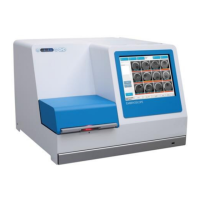
EmbryoScope time-lapse incubator
- 40 -
6.5 Refocusing embryos
When in Live mode, you can refocus the image by manually repositioning the image so that the
acquired images are centred on each well:
1. Open the Live view.
2. If the embryo is out of focus, press the up or the down arrow to change focal plane (see the
illustration above).
3. If you need to, select a new value in the Increment field to either increase or decrease the
number of micrometres (µm) between each step up or down (used when adjusting the focal
plane).
4. When you have found the optimal position and focal plane, press the New Focus button.
The new focal plane will then be used for all subsequent image acquisitions.
5. When all wells are centred in the field of view and all pictures are in focus, press the Back
button.
6. Press Yes to return to the embryo overview screen and restart the image acquisition.
6.6 Ending an EmbryoSlide culture dish
Follow this procedure to permanently remove an EmbryoSlide culture dish from the EmbryoScope
time-lapse incubator:
1. On the home screen, press the EmbryoSlide culture dish you want to remove. The embryo
overview screen opens.
2. On the embryo overview screen, press the End button. The EmbryoSlide culture dish is
now moved to the load area. The lock indicator light in the load door cover will turn green.
3. Remove the EmbryoSlide culture dish and close the load door.


 To Next Page