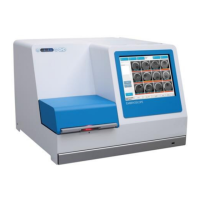
EmbryoScope time-lapse incubator
- 15 -
2.2 Starting up the EmbryoScope
time-lapse incubator
The EmbryoScope time-lapse incubator should be turned on at least three hours before use to
ensure temperature equilibration throughout the time-lapse incubator. Please ensure that the
EmbryoScope time-lapse incubator is grounded through the power connector, that the gas
connections are not leaking, and that the gas reservoir is full. Furthermore, you should periodically
check the residual pressure of the gas cylinders and replace the CO
2
or N
2
cylinders if the pressure
drops below 40 bars. The back pressure in the connecting tubes should not exceed 1 bar or drop
below 0.6 bar.
2.3 Shutting down the EmbryoScope time-lapse incubator
In order to shut down the EmbryoScope time-lapse incubator (e.g. for service or cleaning), follow
the procedure described below.
• In case of an emergency, please follow the procedure described in section 10.
1. Remove all EmbryoSlide culture dishes from the EmbryoScope time-lapse incubator (see
the procedure in section 6.6).
2. Press the Shutdown button on the home screen.
3. Select Close Computer in the presented dialogue box. This turns off the PC of the
EmbryoScope time-lapse incubator (the incubator itself will continue to run).
4. Press OK in the presented dialogue box.
5. In order to turn off the incubator, use the main power switch located at the back of the
EmbryoScope time-lapse incubator. See also section 4.
• If the EmbryoScope time-lapse incubator is left with the desktop open for an extended
period of time, the software embedded in the incubator is not running and no time-lapse
images will be acquired. In this case, the incubator will activate a warning information
signal.
• The software of the EmbryoScope time-lapse incubator and Microsoft Windows should
always be shut down correctly before the power is switched off.


 To Next Page