– 3 –
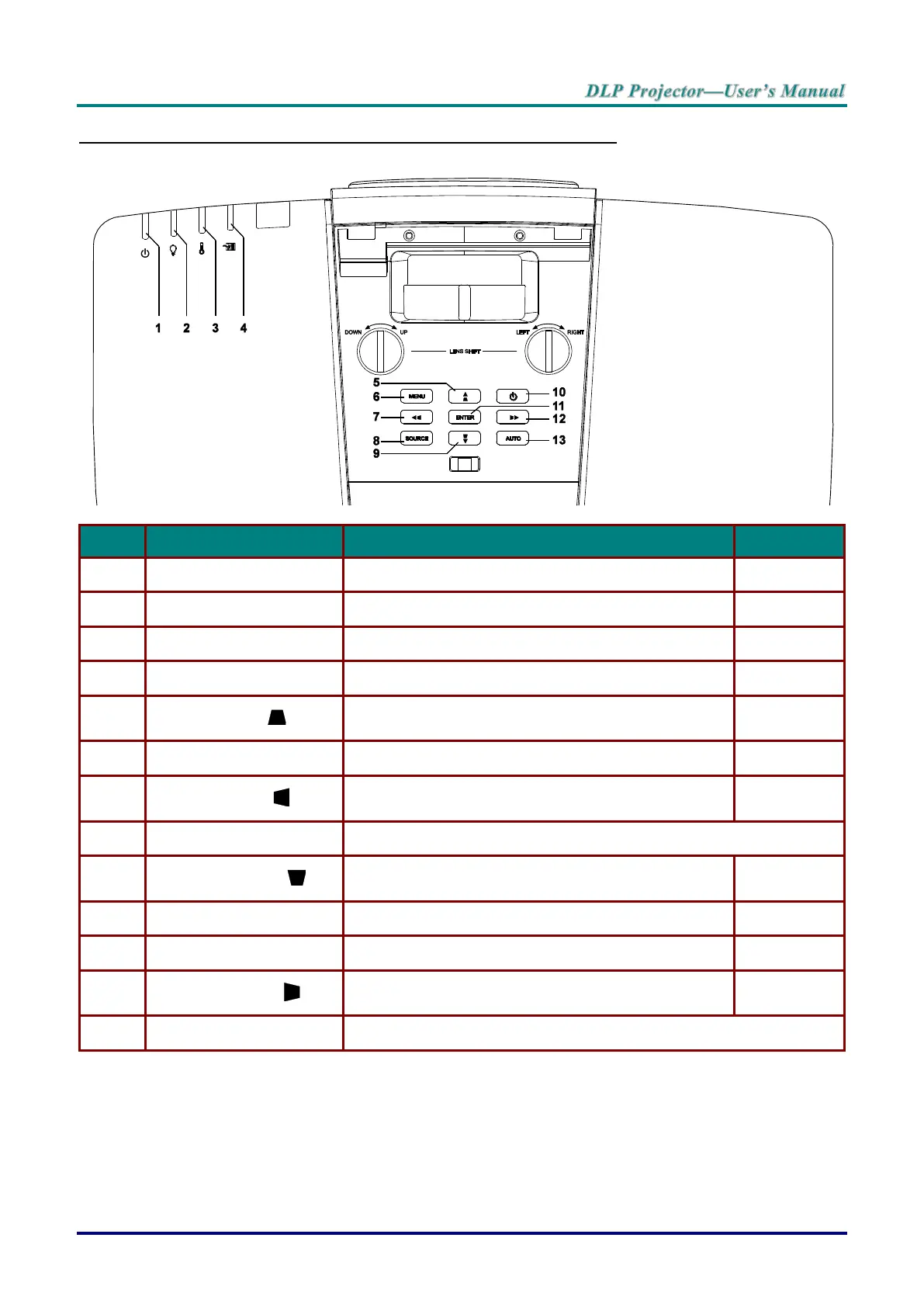
Top view—On-Screen Display (OSD) buttons and LEDs
Display the power on/off sequence status.
Display the thermal status.
Display the filter replacing warning message.
Navigates and changes settings in the OSD.
Quick Menu – For Vertical Keystone.
Opens and exits OSD menus.
Navigates and changes settings in the OSD.
Quick Menu – For Horizontal Keystone.
Navigates and changes settings in the OSD.
Quick Menu – For Vertical Keystone.
Turn the projector on or off.
Enter or confirm highlighted OSD menu item.
Navigates and changes settings in the OSD.
Quick Menu – For Horizontal Keystone.
Optimizes image size, position, and resolution.



 To Next Page