– 37 –
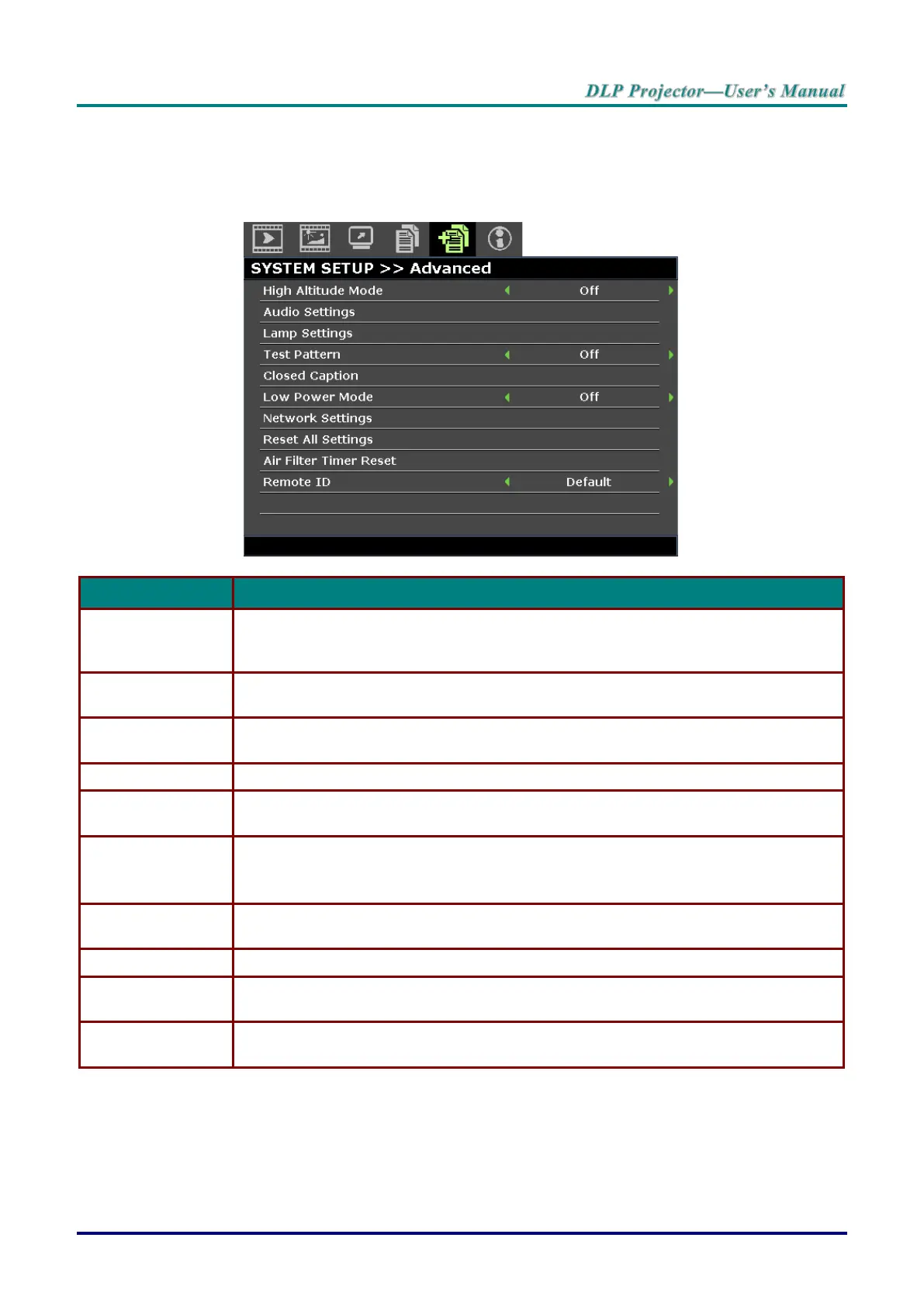
SYSTEM SETUP >> Advanced Menu
Press the MENU button to open the OSD menu. Press the cursor ◄ / ► buttons to move to the SYSTEM
SETUP >> Advanced menu. Press the cursor ▲ / ▼ buttons to move up and down in the SYSTEM
SETUP >> Advanced menu.
Press the cursor ◄ / ► buttons to turn on or off high altitude mode.
Recommended to turn on when the altitude of the environment is higher than 1500m
(4921ft).
Press the ENTER button to enter the Audio Settings sub menu.
See Audio Settings on page 38.
Press the ENTER button to enter the Lamp Settings sub menu. See Lamp Settings
on page 38.
Press the cursor ◄ / ► buttons to select test pattern.
Press the ENTER button to enter the Closed Caption sub menu.
See Closed Caption on page 39.
Press the cursor ◄ / ► buttons to set Low Power Mode Off, On or On by LAN.
Note: When Low Power Mode set to Off and On by LAN, VGA OUT terminal can
output signal during projector in Standby mode.
Press the ENTER button to enter the Network Settings sub menu.
See Network Settings on page 39.
Press the ENTER button to reset all settings to default values.
Press the ENTER button to reset air filter timer.
Press the cursor ◄ / ► buttons to select remote ID to fit the current remote ID
settings.



 To Next Page