— 40 —
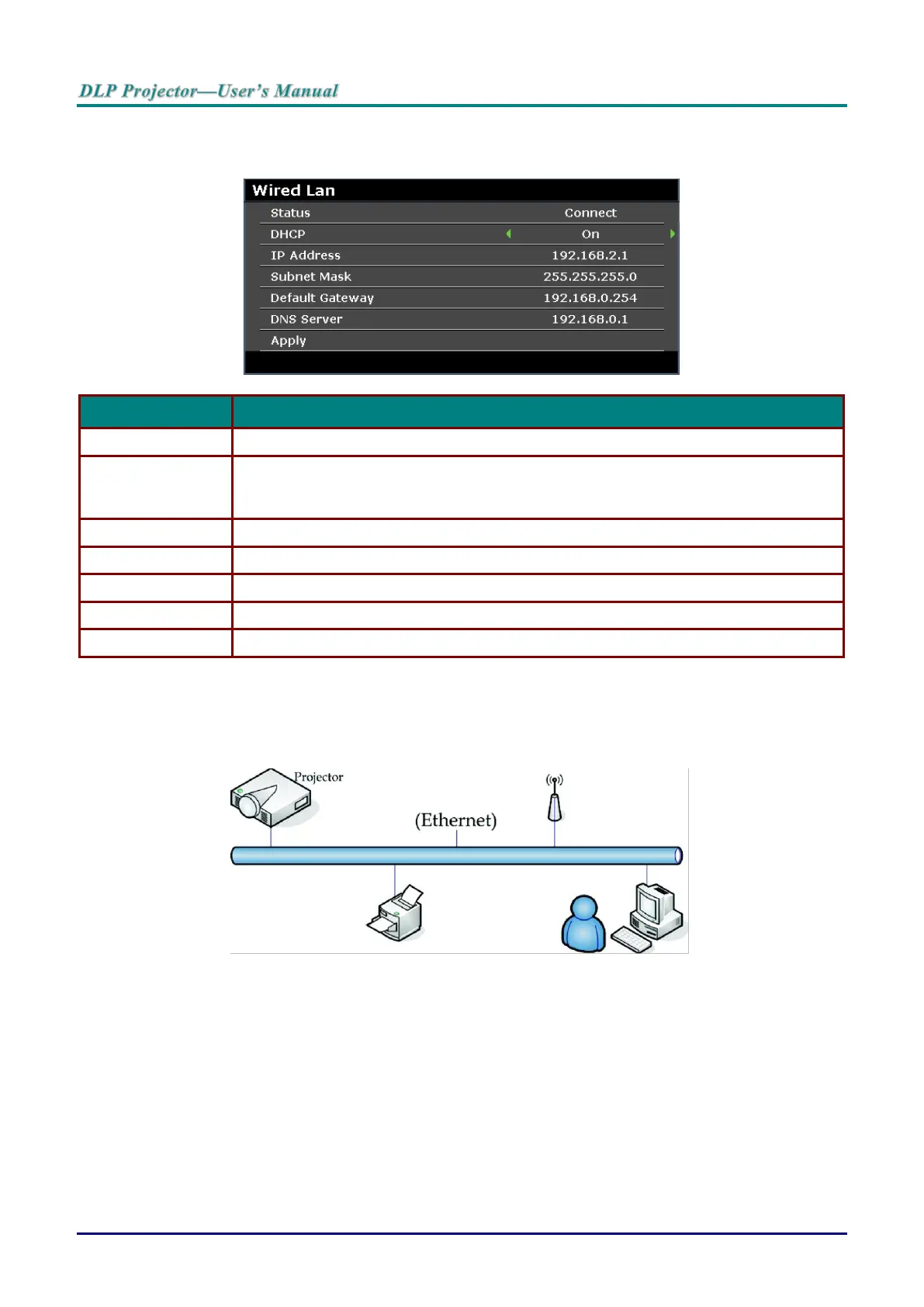
Wired LAN
Press the ENTER button to enter the Wired LAN sub menu.
Displays the network connection status.
Press the cursor ◄ / ► buttons to turn DHCP On or Off.
Note: If you select DHCP Off, complete the IP Address, Subnet Mask, Gateway, and
DNS fields.
Enter a valid IP address if DHCP is turned off.
Enter a valid Subnet Mask if DHCP is turned off.
Displays the default Gateway address on the network.
Enter a valid DNS name if DHCP is turned off.
Press ENTER to confirm settings.
For simplicity and ease of operation, the projector provides diverse networking and remote management
features.
The LAN/RJ45 function of the projector through a network, such as remotely manage: Power On/Off,
Brightness and Contrast settings. Also, projector status information, such as: Video-Source, Sound-Mute,
etc.
Wired LAN Terminal Function
Remote control and monitoring of a projector from a computer through a wired LAN is possible.
Compatibility with Crestron / AMX (Device Discovery) / Extron control boxes enables projector
management through a network as well as a remote computer’s browser.
* Crestron is a registered trademark of Crestron Electronics, Inc. of the United States.
* Extron is a registered trademark of Extron Electronics, Inc. of the United States.
* AMX is a registered trademark of AMX LLC of the United States.



 To Next Page