– 35 –
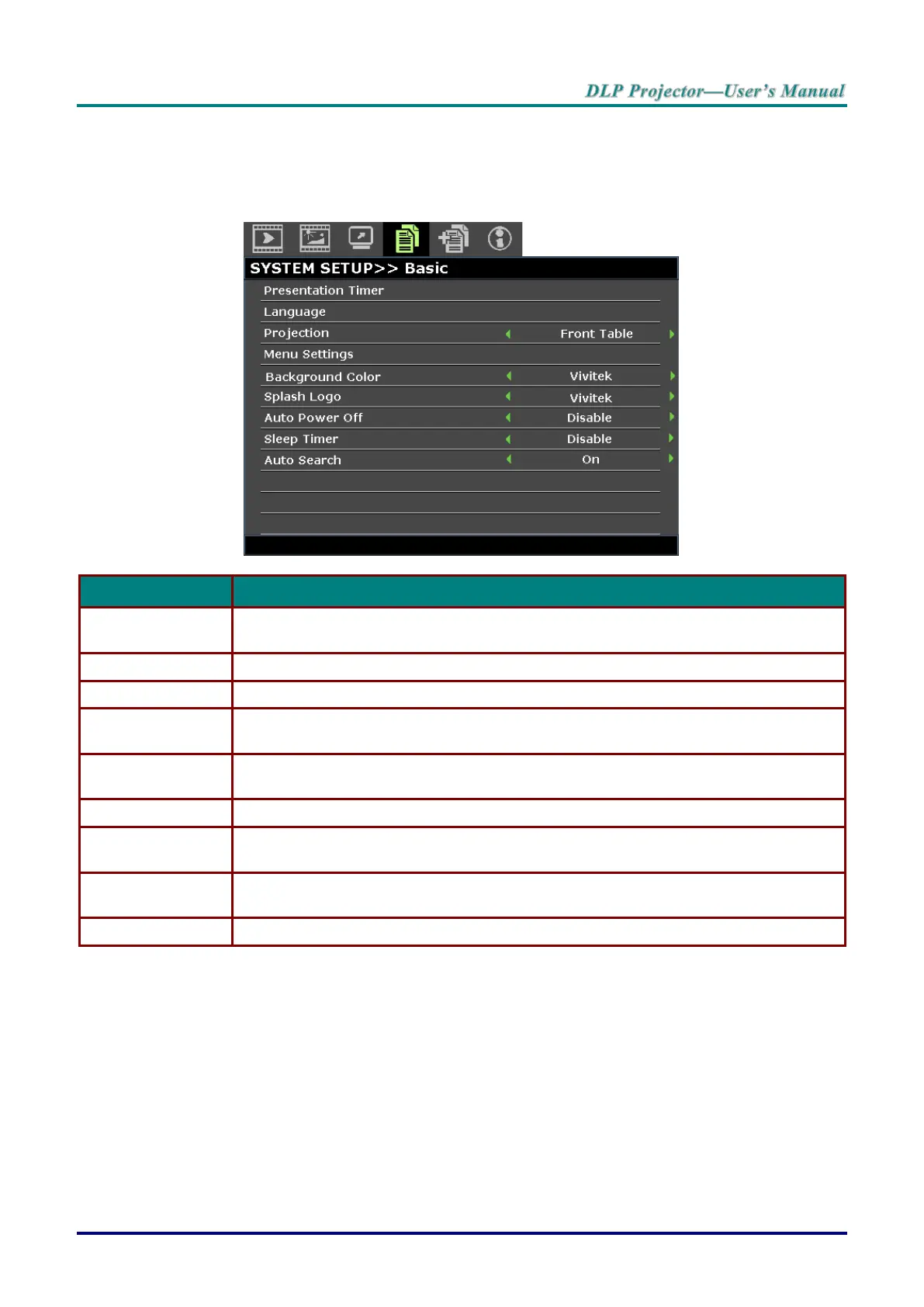
SYSTEM SETUP >> Basic Menu
Press the MENU button to open the OSD menu. Press the cursor ◄ / ► buttons to move to the SYSTEM
SETUP >> BASIC menu. Press the cursor ▲ / ▼ buttons to move up and down in the
SYSTEM SETUP >> BASIC menu. Press the cursor ◄ / ► buttons to change values for settings.
Press the ENTER button to the presentation timer menu. See Presentation Timer on
page 36.
Press the cursor ◄ / ► buttons to select a different localization menu.
Press the cursor ◄ / ► buttons to choose from four projection methods.
Press the ENTER button to enter the Menu Settings sub menu. See Menu Settings
on page 36.
Press the cursor ◄ / ► buttons to select the background color when no input source is
detected.
Press the cursor ◄ / ► buttons to select a different startup screen.
Press the cursor ◄ / ► buttons to set the auto power off timer. The projector
automatically turns off if no input source is detected after the preset period of time.
Press the cursor ◄ / ► buttons to set sleep timer. The projector automatically turns off
after the preset period of time.
Press the cursor ◄ / ► buttons to turn on or off auto search.



 To Next Page