– 7 –
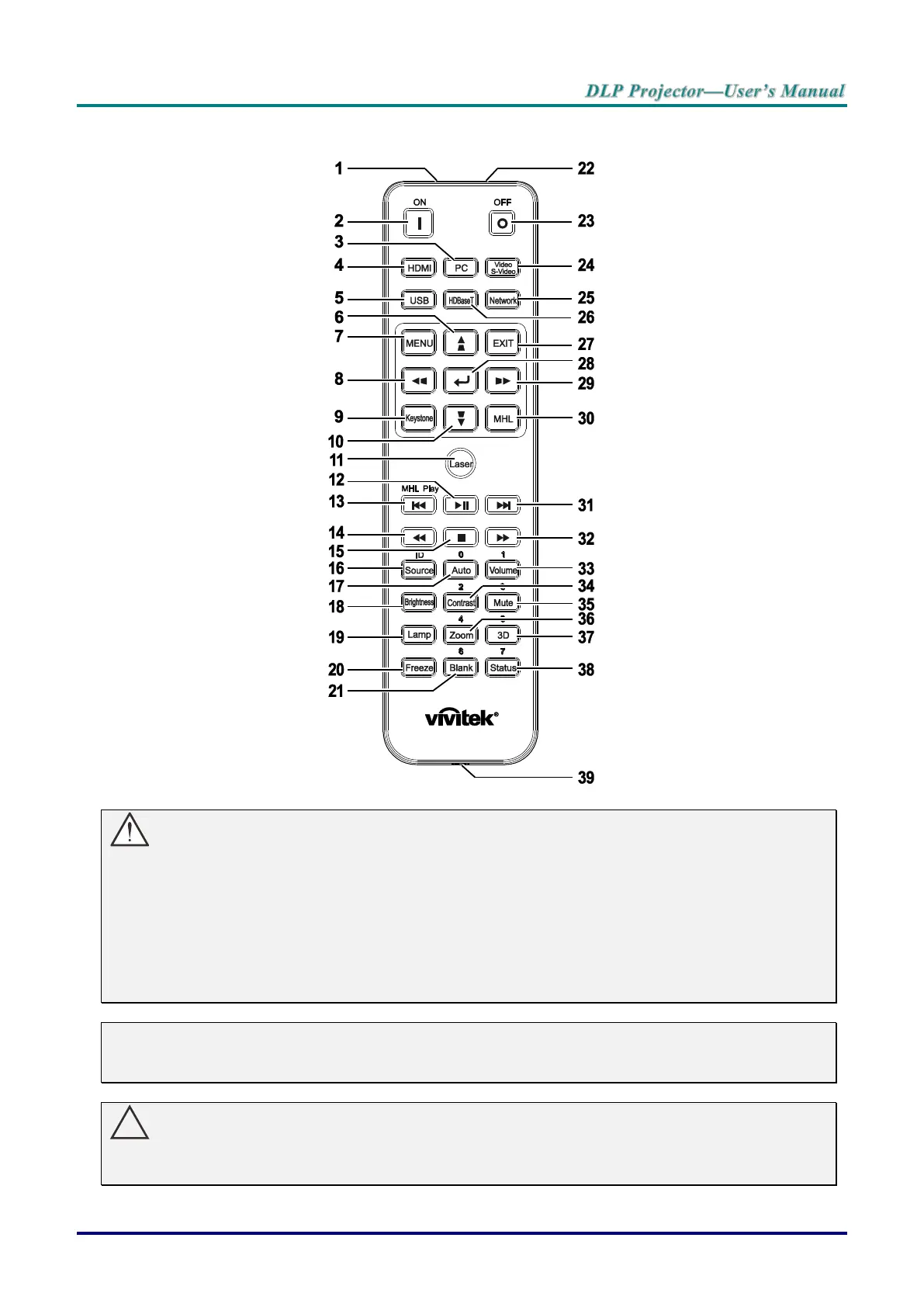
Remote Control Parts
Important:
1. Avoid using the projector with bright fluorescent lighting turned on. Certain high-frequency fluo-
rescent lights can disrupt remote control operation.
2. Be sure nothing obstructs the path between the remote control and the projector. If the path be-
tween the remote control and the projector is obstructed, you can bounce the signal off certain
reflective surfaces such as projector screens.
3. The buttons and keys on the projector have the same functions as the corresponding buttons on
the remote control. This user’s manual describes the functions based on the remote control.
Note:
Complies with FDA performance standards for laser products except for deviations pursuant to
Laser Notice No. 50, dated June 24, 2007
Caution:
Use of controls, adjustments or performance of procedures other than those specified herein
may result in hazardous laser light exposure.



 To Next Page