– 41 –
Supported External Devices
This projector supports command inputs from a Crestron Electronics controller and related software
(RoomView
®
), for further information: http://www.crestron.com/
This projector supports the AMX (Device Discovery), for further information: http://www.amx.com/
This projector complies and supports Extron device(s), for further information: http://www.extron.com/
For more information on the external devices and their related control commands supported through the
LAN/RJ45 port and the projector’s remote/control function contact the service support team directly.
LAN RJ45
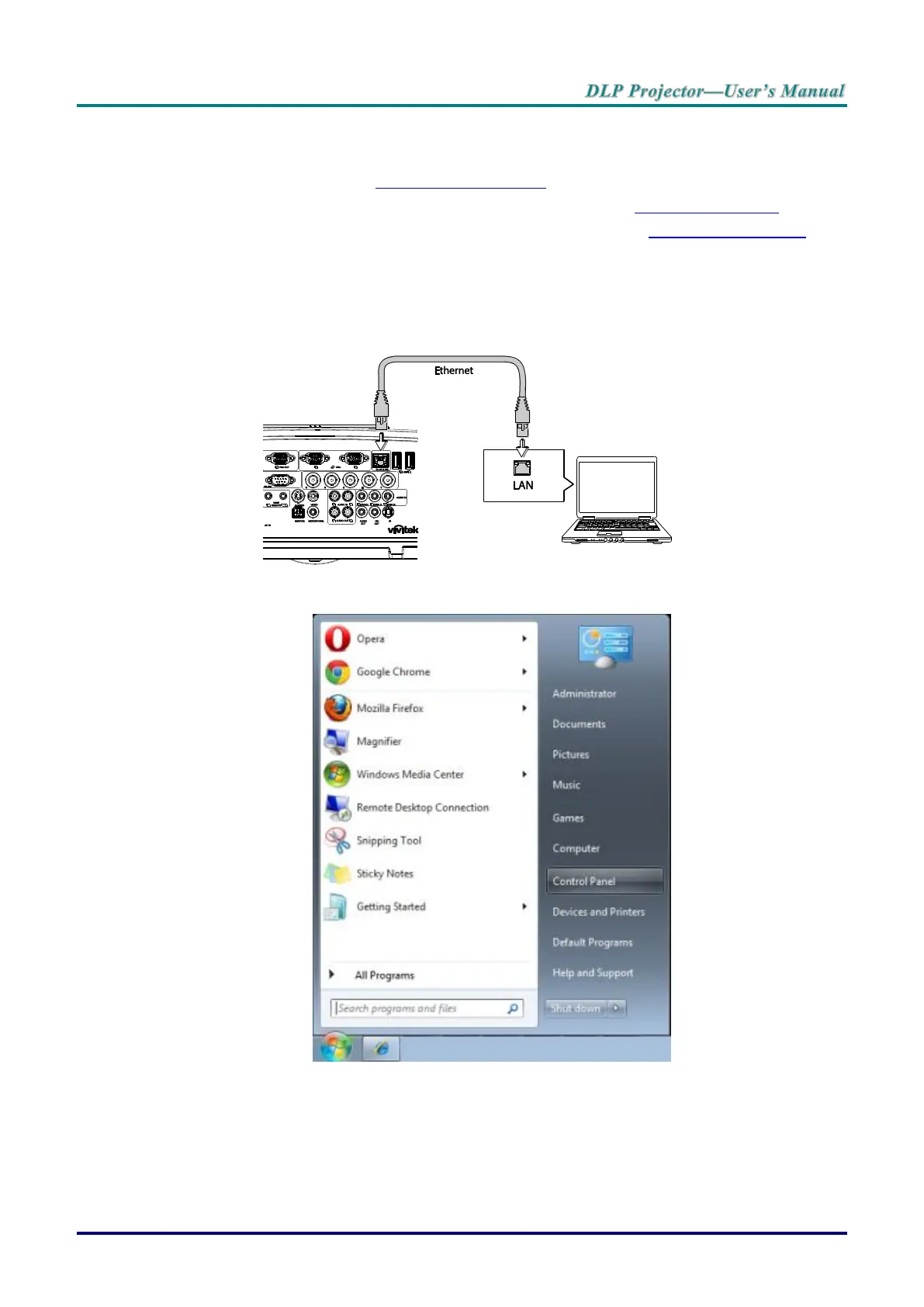
1. Connect an RJ45 cable to the RJ45 port on the projector and computer.
2. On the computer, select Start >> Control Panel >> Network and Internet.
The Network and Internet screen displays.



 To Next Page