— 42 —
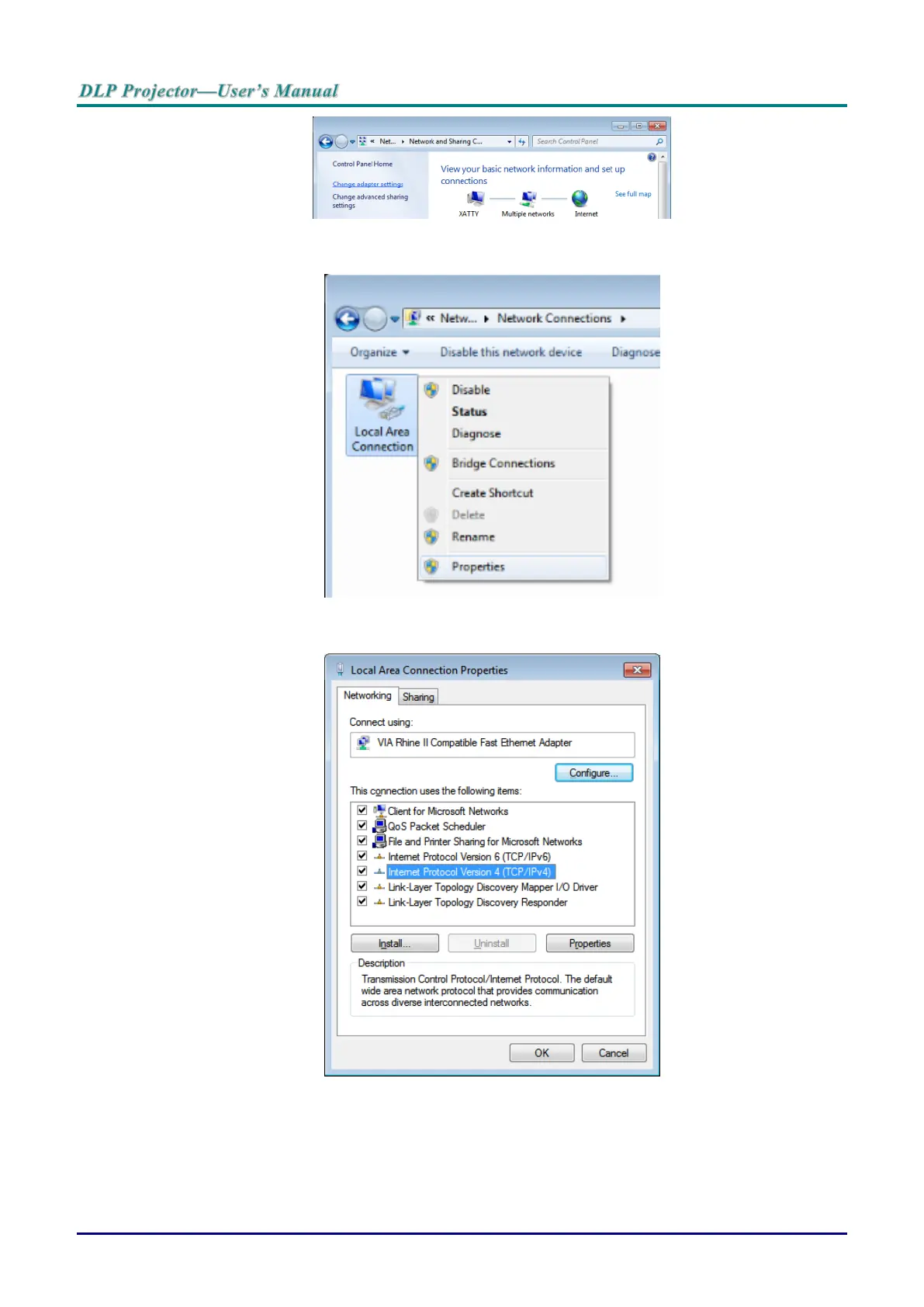
3. Click Change adapter settings to continue.
4. Right-click on Local Area Connection, and select Properties.
5. In the Properties window, select the Networking tab and select Internet Protocol (TCP/IP).
6. Click Properties.
7. Click Use the following IP address and fill in the IP address and Subnet mask.
For this example, the IP address used is as follows:
IP address: 10.10.10.99
Subnet mask: 255.255.255.0
8. Click OK to save the settings.



 To Next Page