– 43 –
9. On the projector (remote control) press the MENU button.
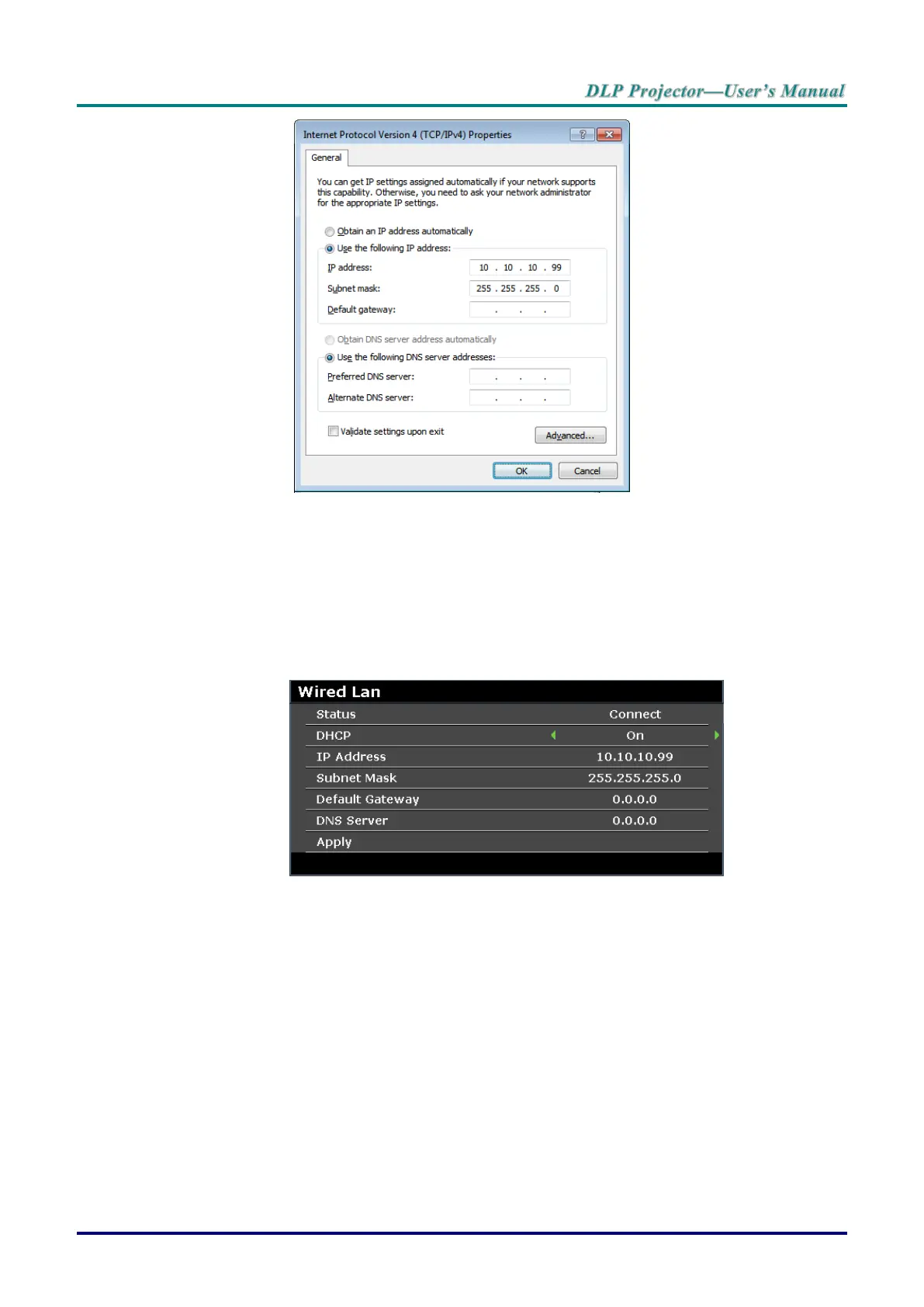
10. Select SYSTEM SETUP >> Advanced >> Network Settings >> Wired LAN. The Wired LAN
screen displays.
11. Change the IP Address and the Subnet Mask. Make sure the network settings are compatible with
those on the computer. The project and computer must be configured to use the same subnet, see
the following example.
Example:
Projector IP settings: 10.10.10. X (whereas, X is a number between 1 and 254).
Subnet Mask: 255.255.255.0



 To Next Page