11
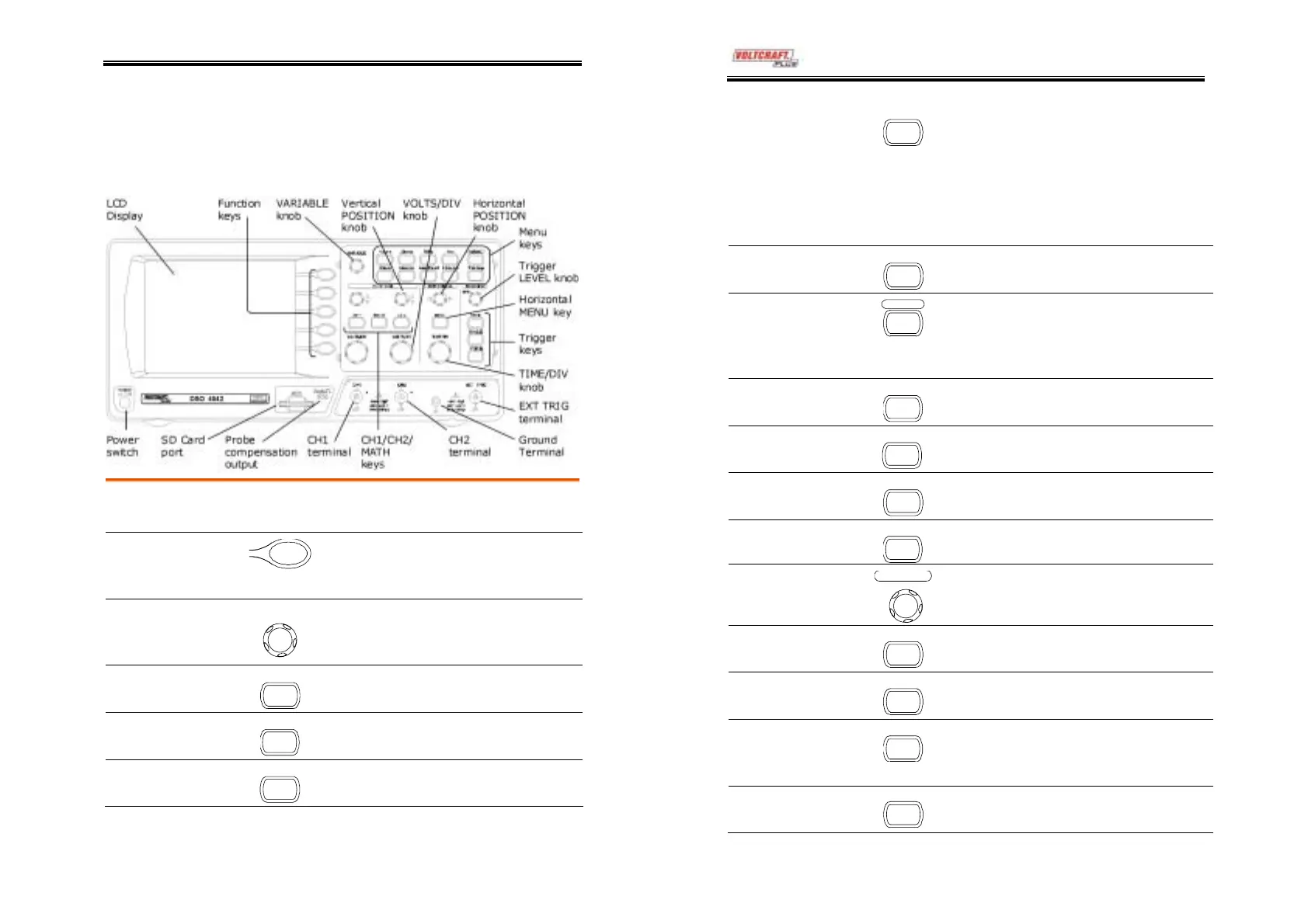
Panel Overview
Front Panel
LCD display
TFT color, 320 x 234 resolution, wide angle view
LCD display.
Function keys:
F1 (top) to
F5 (bottom)
Activates the functions which
appear in the left side of the LCD
display.
Variable knob
V
RIABL
Increases or decreases value and
moves to the next or previous
parameter.
Acquire key
cquire
Configures the acquisition mode
(page49).
Display key
Display
Configures the display settings
(page52).
Cursor key
Cursor
Runs cursor measurements
(page44).
(Continued on next page)
DSO-4000 User Manual
12
Utility key
Utility
Configures the Hardcopy function
(page76), shows the system status
(page68), selects the menu
language (page70), runs the self
calibration (page90), and configures
the probe compensation
signal(page91).
Help key
Help
Shows the Help contents on the
display (page33).
Autoset key
utoset
Automatically configures the
horizontal, vertical, and trigger
settings according to the input
signal (page35).
Measure key
Measure
Configures and runs automatic
measurements (page41).
Save/Recall key
Save/Recal
Saves and recalls image, waveform,
or panel settings (page71).
Hardcopy key
Hardcop
Copies image, waveform, or panel
settings to an SD card (page76).
Run/Stop key
Run/Stop
Runs or stops triggering (page36).
Trigger level knob
LEV E L
TRIGGE
Sets the trigger level (page61).
Trigger menu key
MENU
Configures the trigger settings
(page61).
Single trigger key
SINGLE
Selects the single trigger mode
(page68).
Trigger force key
FORCE
Acquires the input signal once
regardless of the trigger condition
at the time (page68).
Horizontal menu
key
MENU
Configures the horizontal view
(page54).



 To Next Page