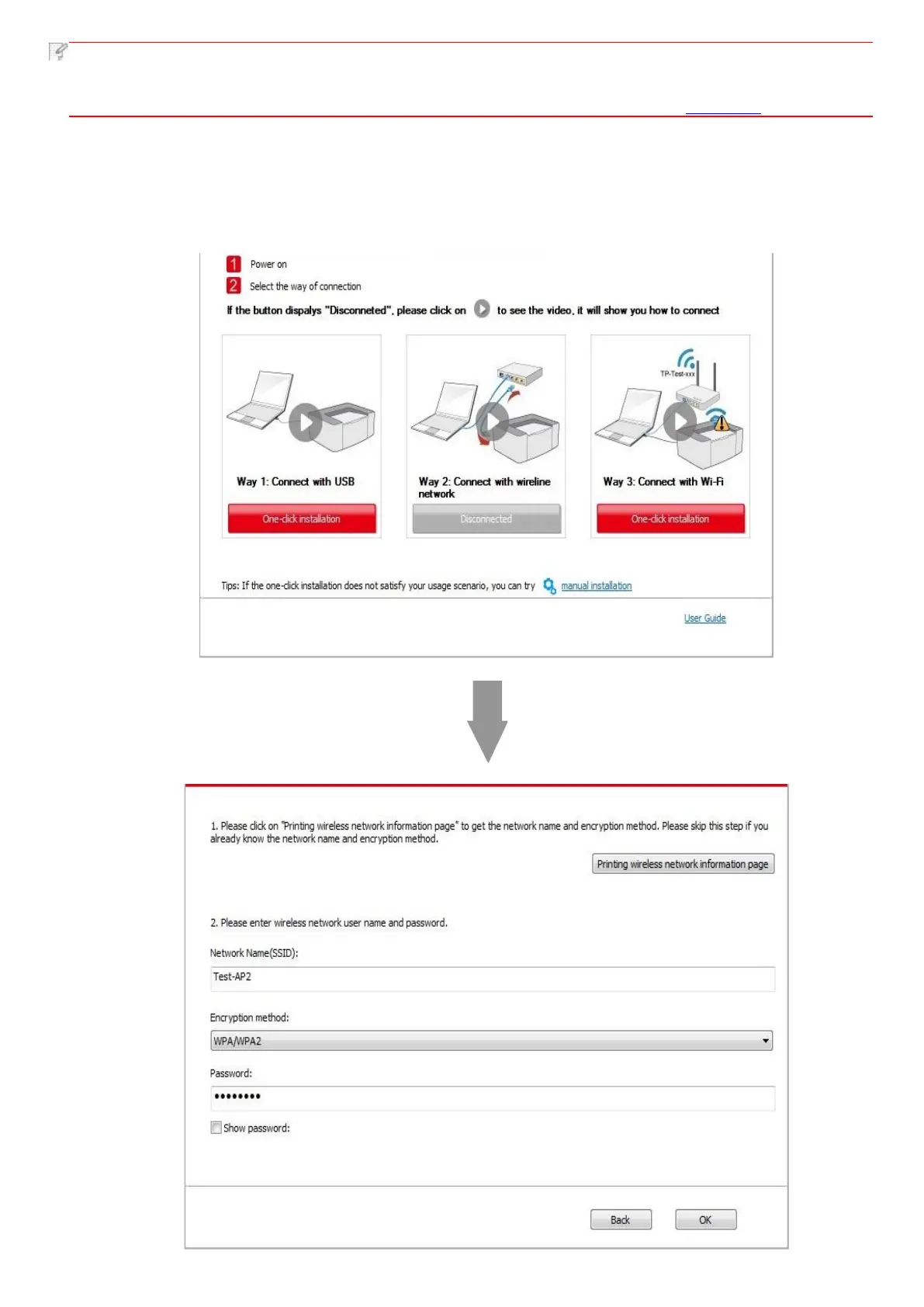
• You can put your mouse cursor in the "One-click installation" button to check the popup information in order to
confirm if the current printer is the one you need to install through IP address before you click the button.
• You can check the printer IP address through "Network configuration page" (Please see Chapter 7.2 for how to print).
• Click on the "One-click installation" button if your software has only searched only one printe, and the wireless network
configuration interface will pop up, input the SSID and password that you need, then click "Confirm" button, and enter
into installation process. The process may need some time, and the duration is related to your computer configuration,
please wait patiently.


 To Next Page